

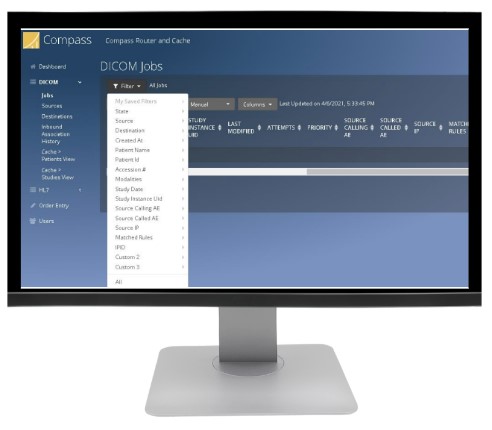
Buy DICOM Router/Gateway in Nigeria.
Compare DICOM routers and imaging gateways listed by Franance for Nigerian hospitals, imaging centres and distributed diagnostic networks. The current category contains Laurel Bridge Compass, Qvera DICOM Router and Intelerad InteleShare Gateway. Define the exact source and destination systems, DICOM/HL7 workflows, deployment, network, security and monitoring requirements before requesting a project quotation.
Products
3 models
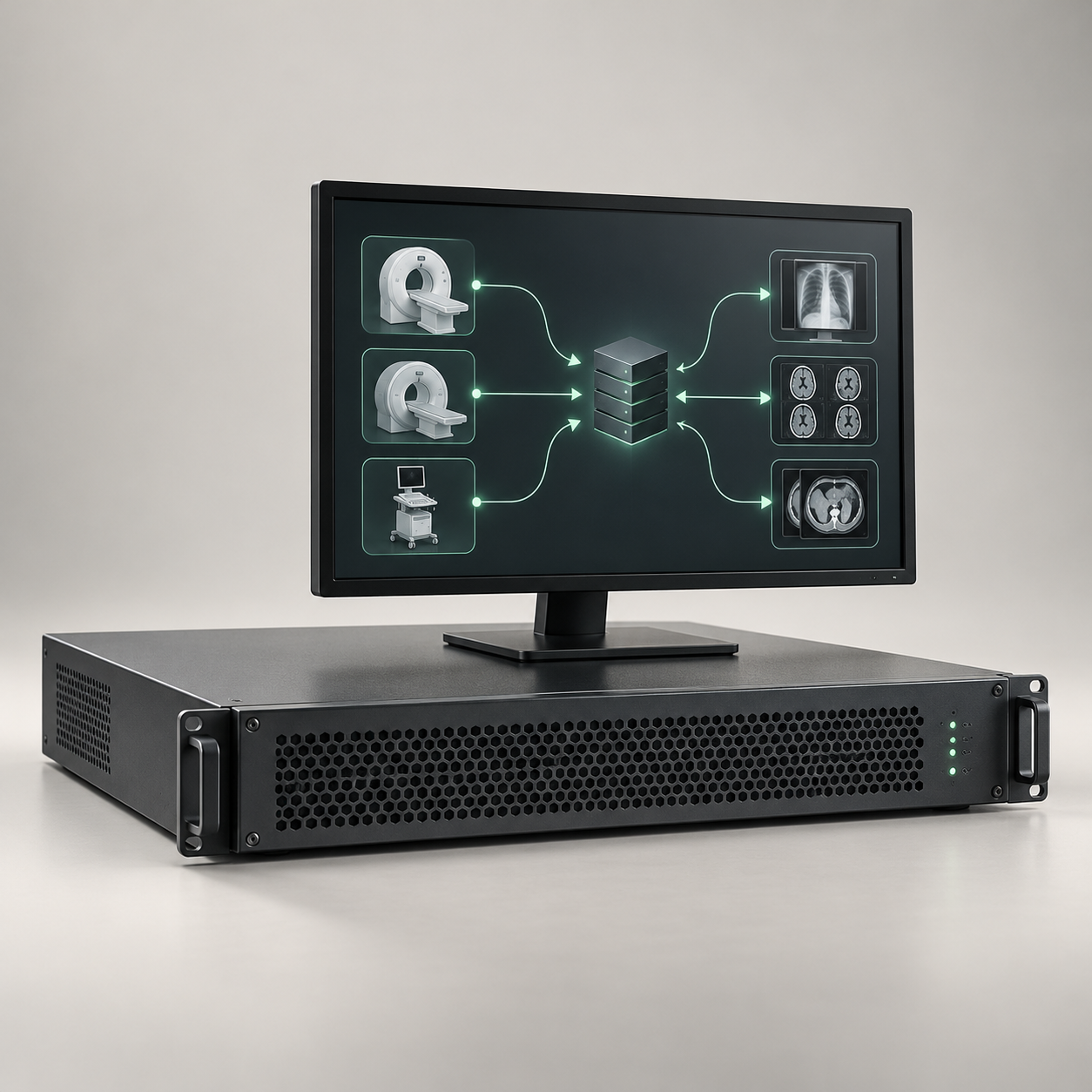
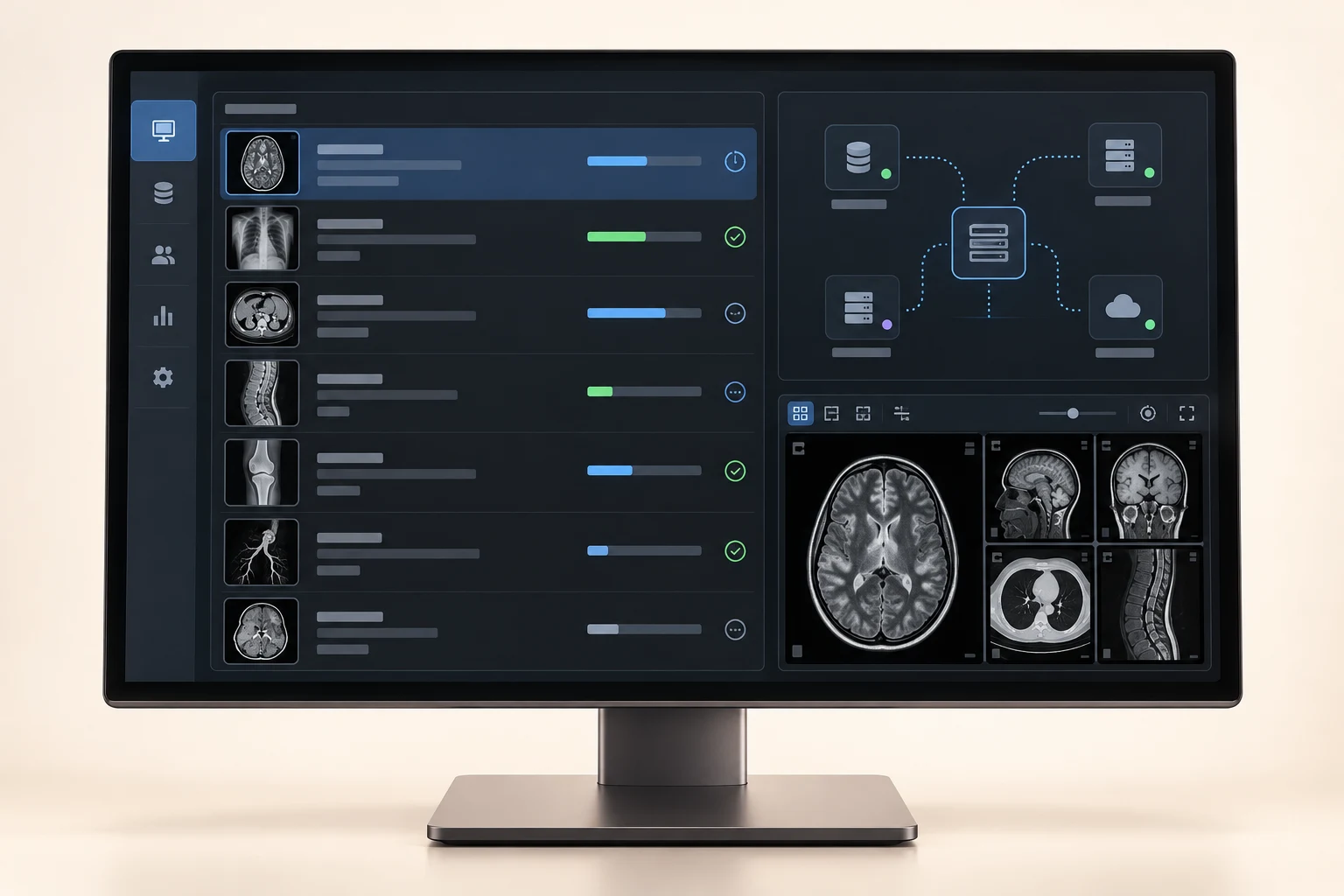
InteleShare Gateway DICOM and HL7 Router
Medical image exchange gateway with DICOM and HL7 routing software
Price on request
Which DICOM router or imaging gateway can I request in Nigeria?
Franance currently lists Laurel Bridge Compass Routing Workflow Manager, Qvera DICOM Router (QDR) and Intelerad InteleShare Gateway DICOM and HL7 Router. These products have different vendor architectures and product boundaries. Laurel Bridge describes Compass as a routing workflow manager; Qvera presents QDR as its DICOM routing product; Intelerad describes the InteleShare Gateway as a component connecting on-premise systems with InteleShare cloud capabilities. Confirm exact scope and prerequisites with each vendor.
Read moreWhich DICOM router and gateway products are listed?
The three exact product records are Laurel Bridge Compass, Qvera DICOM Router (QDR) and Intelerad InteleShare Gateway DICOM and HL7 Router. No fourth product is assigned to this category at the time of this guide. Details such as licence, deployment form, throughput capacity, included modules and interface versions are not fully represented in the catalogue. Ask for the current model and release documentation when preparing a quote.
Read moreBuy Laurel Bridge Compass DICOM routing software in Nigeria
Laurel Bridge describes Compass as a Routing Workflow Manager and DICOM router for ingesting, distributing, tracking and accessing medical imaging studies across different systems. Its product information describes routing rules and workflow capabilities, including DICOM and HL7-related functions and integrations. Laurel Bridge also lists optional Compass feature upgrades and related products in its library. Confirm which capabilities, modules, connectors and versions are included in the specific licence offered.
Read moreBuy DICOM Routers and Imaging Gateways in Nigeria
A DICOM router or imaging gateway sits between imaging systems and helps move studies or related messages through a defined workflow. A Nigerian facility may use one to connect modalities, PACS archives, VNAs, cloud services or reporting systems, but the exact role depends on the product, release and configured interfaces. Franance lists three DICOM router/gateway products and accepts quote-order enquiries for them. This category focuses on routing and gateway software. It does not describe a PACS archive, a diagnostic workstation, a teleradiology reading service or a guarantee that separate systems will communicate. Define the source and destination systems, versions, messages, routing rules and failure-handling behavior first. Then ask the vendor to confirm its documented support and test the complete workflow before relying on it in production.
Which DICOM router or imaging gateway can I request in Nigeria?
Franance currently lists Laurel Bridge Compass Routing Workflow Manager, Qvera DICOM Router (QDR) and Intelerad InteleShare Gateway DICOM and HL7 Router. These products have different vendor architectures and product boundaries. Laurel Bridge describes Compass as a routing workflow manager; Qvera presents QDR as its DICOM routing product; Intelerad describes the InteleShare Gateway as a component connecting on-premise systems with InteleShare cloud capabilities. Confirm exact scope and prerequisites with each vendor.
For a quick comparison, open the DICOM Router/Gateway category or use the filtered listings for Compass, Qvera DICOM Router and InteleShare Gateway. A brand/category/model-name filter helps locate the record; it is not a statement of technical compatibility.
Which DICOM router and gateway products are listed?
The three exact product records are Laurel Bridge Compass, Qvera DICOM Router (QDR) and Intelerad InteleShare Gateway DICOM and HL7 Router. No fourth product is assigned to this category at the time of this guide. Details such as licence, deployment form, throughput capacity, included modules and interface versions are not fully represented in the catalogue. Ask for the current model and release documentation when preparing a quote.
A DICOM router should be scoped around the interfaces and routing behavior a facility actually needs. A gateway may also be part of a wider cloud image-sharing service or integration engine. A PACS may include some routing features, while a standalone router may not provide archive, diagnostic viewing, reporting or patient access. Compare product boundaries and ownership in the architecture proposal rather than assuming features from category names.
Buy Laurel Bridge Compass DICOM routing software in Nigeria
Laurel Bridge describes Compass as a Routing Workflow Manager and DICOM router for ingesting, distributing, tracking and accessing medical imaging studies across different systems. Its product information describes routing rules and workflow capabilities, including DICOM and HL7-related functions and integrations. Laurel Bridge also lists optional Compass feature upgrades and related products in its library. Confirm which capabilities, modules, connectors and versions are included in the specific licence offered.
For evaluation, send Laurel Bridge or the supplier a flow diagram with every source and destination, required routing conditions, message types, patient and study identifiers, expected volumes and failure cases. Ask for the current technical specifications, DICOM and DICOMweb conformance statements, HL7 support details, deployment requirements and release notes that apply to the proposed version. Do not infer support for every listed feature from the broad Compass product page.
- View Compass in the DICOM Router/Gateway listing
- Open the Compass catalogue listing
- Read Laurel Bridge’s Compass overview
- Review Laurel Bridge’s product library
Buy Qvera DICOM Router in Nigeria
Qvera describes Qvera DICOM Router as a DICOM routing product built on its healthcare integration-engine platform. Its product page lists functions such as rule-based routing, multiple destinations, scheduled or on-demand transfers, deployment options and other integration features. These statements are Qvera’s descriptions of its product. They do not independently verify that a particular configuration supports a specific source, destination, interface or security requirement.
Ask Qvera to confirm which DICOM services and roles the proposed version supports, what DICOMweb functions are in scope, how routing rules are authored and monitored, and which HL7 or FHIR-related workflows require a separate Qvera product or licence. Request the documentation relevant to your exact design. If the proposed deployment uses cloud services, confirm the architecture, regions, connectivity, storage responsibilities, data handling terms and availability commitments directly with the vendor.
- View Qvera DICOM Router in its filtered listing
- Open the Qvera DICOM Router catalogue listing)
- Read Qvera’s DICOM Router information
Buy Intelerad InteleShare Gateway in Nigeria
Intelerad describes its InteleShare Gateway as a DICOM and HL7 router that connects local systems with InteleShare cloud functionality. This is a gateway within a broader image-sharing offer, so establish whether your intended project is an InteleShare deployment, a specific gateway function, or a connection to a wider existing Intelerad environment. Confirm product availability and commercial scope for Nigeria; the catalogue entry does not establish either.
Intelerad publishes a Gateway DICOM Conformance Statement and an HL7 guide for InteleShare. Ask for the current documents matching the offered release and configuration. Compare the statement’s supported roles, services and configuration requirements with your own source and destination systems. Also clarify whether image exchange, cloud storage, portals, EHR integrations or other InteleShare functions are included, separately licensed or outside the gateway scope.
- View InteleShare Gateway in the DICOM Router/Gateway listing
- Open the InteleShare Gateway catalogue listing)
- Read Intelerad’s InteleShare overview
- Request the InteleShare Gateway DICOM Conformance Statement
What does a DICOM router do in an imaging workflow?
A router can be part of the path that transfers imaging data from a source system to one or more destinations. The workflow may include a modality sending a study to a PACS, a router forwarding a copy to a VNA, an AI application receiving a study, or a gateway exchanging images with a cloud service. Some products also manage workflow events or associated HL7 messages. The actual behavior is product- and configuration-specific.
Draw the current and proposed path. Identify the event that starts each route, the condition that determines the destination, any transformation or filtering, the expected delivery result, and what happens when a destination is unavailable. Decide who reviews failed transfers, retries or resends, queue backlogs and mismatched patient or order details. Include how staff can tell a study arrived, whether duplicates are possible, and which system remains the authoritative record. If a router also stores or caches data, document its retention and recovery behavior.
This differs from the larger Imaging IT and Viewing category. PACS and VNA products manage archives and image access; viewing software supports review; reporting products create or distribute reports. Some platforms bundle related functions, so define which system owns each role. For tele-radiology and report workflows see Tele-Radiology Reporting; that category covers reporting software rather than a standalone router role.
How do I verify DICOM, HL7 and system interoperability?
Request the exact DICOM conformance statement for the product and release proposed. Compare the documented service classes, roles, transfer syntaxes, network behavior, configuration parameters and any relevant DICOMweb services against both endpoints. DICOM conformance documentation describes a particular implementation; the standard itself cautions that conformance statements do not guarantee interoperability between products. Matching a product name or seeing “DICOM” on two pages is not enough.
For HL7 workflows, request the vendor’s interface specification, supported message types and versions, event triggers, field mappings, acknowledgements, error handling and relevant implementation guide. Define how patient identifiers, accession or order identifiers, study descriptions and status changes are matched across systems. Confirm whether a separate interface engine is required. If the project also requires FHIR or another API, state the exact version and resource or operation requirements and ask which product and licence provides them.
IHE Radiology publishes workflow profiles such as Scheduled Workflow and Reporting Workflow that can help describe the participants and transactions in an imaging workflow. Use a profile as a test-design reference, then request the vendor’s product- and version-specific integration statement. Have both vendors and the facility test end-to-end scenarios with representative, approved data: normal transfer, missing or corrected identifiers, duplicate arrival, destination outage, retry, cancellation and reconciliation. Treat interoperability as something to demonstrate and accept, not assume.
What deployment, network and operational requirements should I plan?
List all participating Nigerian sites, modalities, PACS/VNA endpoints, reporting or AI systems and any remote destination. Record each system’s vendor, model or product, software version, network address and responsible administrator. For a DICOM connection, confirm application entity titles, ports, accepted calling/called entities, firewall changes, certificates if applicable and test windows. For HL7, identify interface endpoints, message routing and change-control owners. Vendors must supply the exact current requirements.
Measure network conditions between sites, including available bandwidth, latency, packet loss or interruption patterns, and normal versus peak study volumes. Estimate transfer concurrency and recovery needs with the vendor. Ask for documented capacity assumptions and a plan for queue monitoring, retry, alert escalation, software updates, backup and recovery. Confirm server or appliance sizing, operating-system/container prerequisites, storage or cache requirements, high-availability approach, maintenance windows and who will administer the deployed system.
For cloud or hybrid use, document the data path and hosting region, which party operates each component, what data is stored at each point, how long it is retained and what happens when connectivity is lost. For on-premises deployments, confirm site power, rack space, cooling, network segmentation and access. A product page’s general deployment options are not a site design; require a written architecture and responsibility matrix for the actual Nigerian locations.
How should I address security, privacy and data governance?
Treat the router as part of the organization’s imaging data environment. Before procurement, map which systems can send or receive data, which identifiers and metadata are included, which users can configure routes, and how administrative and transfer events are logged. Have the facility’s IT security, privacy and clinical governance teams set the required controls and review vendor evidence for the exact product and deployment.
Ask vendors to document authentication and authorization, encryption in transit and at rest where applicable, certificate and key management, audit retention, vulnerability and patch process, incident notification, backup protection, remote support access, data residency, subcontractors and deletion or return of data at contract end. Confirm whether optional security modules or third-party services are needed. If anonymization, de-identification or DICOM tag changes are proposed, specify the transformation, approved purpose, test data, validation method and rollback process. Do not assume a router’s capability makes a data transfer legally permissible or that a marketing statement establishes a security certification for your configuration.
What should a Nigerian DICOM router quotation and acceptance plan include?
For a Franance quote, provide your facility name, delivery state and city, number of sites, source and destination systems and versions, modalities, DICOM services and workflows, HL7 feeds, routing rules, message and study volumes, current network measurements, preferred deployment, hosting constraints, required security and data-governance controls, monitoring, support and acceptance criteria. Include a simple architecture diagram and examples of ordinary and exception workflows where possible.
Ask the proposal to identify the exact product, version, modules, licence metric, prerequisites, interface and deployment documents, included integrations, implementation roles, one-time and recurring costs, exclusions, availability, lead time, training, support hours and escalation terms. Request a written interface matrix and acceptance test plan. Define the expected outcomes for successful transfer, failed destination, retry, duplicate, incomplete study and identifier mismatch. Record which party signs off each test and what evidence will be delivered.
Franance’s catalogue is quotation-led; it does not take online payment for these products. Send the requirements through the DICOM router and gateway quotation form. Franance can follow up by phone or email to clarify the requested order and project scope. Nigerian availability, implementation capacity, vendor relationship, price, delivery and service coverage must be confirmed in the actual written proposal.
Sources, configuration limits and procurement cautions
Product descriptions in this guide come from Laurel Bridge Compass, its product library, Qvera DICOM Router and Intelerad InteleShare. Technical references include the DICOM Standard, DICOM conformance-statement guidance, the IHE Radiology Technical Framework and Intelerad’s Gateway DICOM Conformance Statement. Vendor pages explain vendor-stated capabilities; they do not verify a particular installation or multi-vendor configuration.
The catalogue contains three assigned products, but not detailed technical requirements for your endpoints, a licensed bill of materials, a regional deployment plan or a current Nigeria quote. Do not infer DICOM conformance, HL7 or FHIR support, interoperability, cybersecurity, compliance, data residency, uptime, availability or service commitments beyond the documents supplied for the actual product and release. Obtain those documents, test the specific workflow and have qualified facility stakeholders approve the design before go-live.
Common questions
Does a DICOM router guarantee that my PACS and modality will interoperate?
No. Confirm the exact DICOM services, roles, transfer syntax, identifiers, configuration and software versions for both endpoints, then test the required workflow with the vendor and facility teams.
Are DICOM router and PACS products the same thing?
No. A router or gateway moves or manages data flows between systems; a PACS provides image-management functions. Some vendors package related functions together, so verify product boundaries, licences and responsibilities in the proposed design.
Does the Intelerad InteleShare Gateway work as a standalone router?
Intelerad describes it as a gateway within the InteleShare offering that connects on-premise systems with its cloud capabilities. Confirm the exact deployment, dependencies, availability and scope for your requested offer.
What details should I send for a Nigeria quotation?
Provide source and destination systems and versions, DICOM/HL7 flows, volumes, routing rules, sites, network and hosting constraints, security and monitoring requirements, testing, training, support and delivery details.
Request a DICOM router or imaging gateway quotation from Franance.
Share the facilities and sites, exact source and destination systems and releases, modalities, DICOM and HL7 flows, routing and transformation rules, typical and peak volumes, network and deployment preferences, security/data-governance requirements, monitoring, acceptance tests, training and service expectations. Ask for an exact product/module/version, interface matrix, architecture, licence basis, implementation roles, costs, exclusions, availability and support terms in writing.
Request a DICOM routing quoteNeed an equipment quote?
Add the models you need to a quote order, or send us your equipment list.