

Buy Telemedicine Cart in Nigeria.
Buy a telemedicine cart in Nigeria through Franance by matching the cart to the actual virtual-care workflow, devices, room layout, power plan and IT requirements. This category currently lists Capsa CareLink for configurable video and diagnostic-peripheral workflows, Tryten X1 for a monitor-centred setup, and Tryten S1 for a tablet-centred setup. Each is a cart platform; specify the equipment and services required, then request a written quotation.
Products
3 models
Where can I buy a telemedicine cart in Nigeria?
Start with the telemedicine cart category, which currently lists three Capsa Healthcare models. The CareLink exact listing, Tryten X1 listing by product number T2900 and Tryten S1 listing by product number T2700 each isolate one assigned product in the current catalogue.
Read moreWhich Capsa telemedicine carts are listed?
The current category assignment contains exactly three Capsa products. They address different levels of cart configuration:
Read moreWhen should I choose the CareLink Telemedicine Cart?
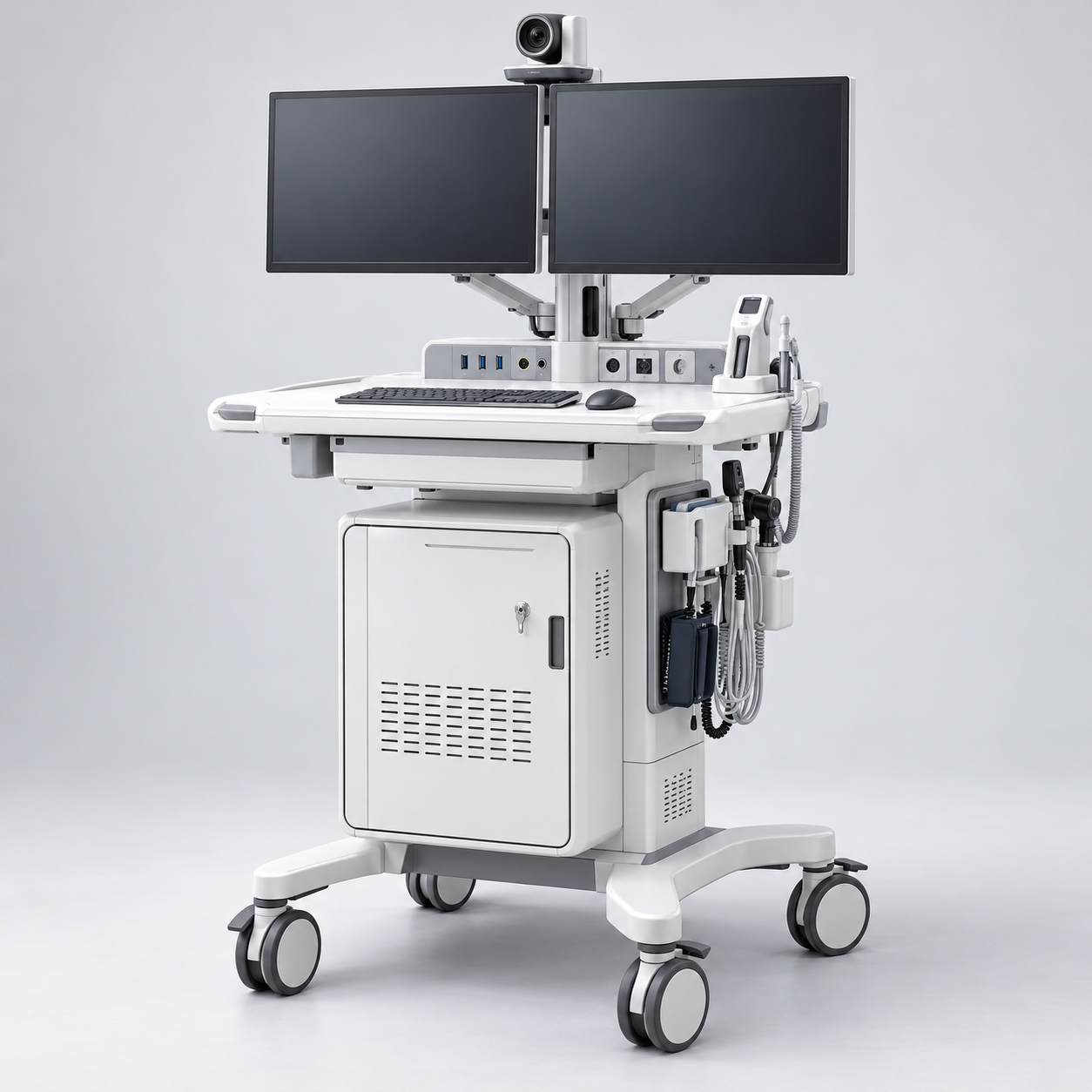
Consider CareLink when the project calls for a configurable mobile station that can support remote video communication and selected diagnostic peripherals. Capsa describes the telemedicine cart as facilitating virtual care and timely diagnostics. Its brochure identifies I/O Pod plug-and-play capability for integrating medical peripheral cameras and scopes, a ventilated cabinet for a PC or codec, optional storage for diagnostic peripherals, camera mounts and single- or dual-monitor configurations. Those options make CareLink distinct from a basic tablet stand or monitor trolley.
Read moreBuy telemedicine carts in Nigeria
Buy a telemedicine cart in Nigeria through Franance by selecting the cart around the actual virtual-care workflow, then confirming the devices, mounts, power, software, room fit and support scope in a written quotation. The current catalogue lists three Capsa Healthcare options: CareLink for configurable video and diagnostic-peripheral workflows, Tryten X1 for a monitor-centred setup, and Tryten S1 for a tablet-centred setup. These are different cart platforms, not interchangeable complete telehealth systems. Tell Franance which equipment must be supplied and how it will be used; Franance will follow up by phone or email to clarify the quote order.
Where can I buy a telemedicine cart in Nigeria?
Start with the telemedicine cart category, which currently lists three Capsa Healthcare models. The CareLink exact listing, Tryten X1 listing by product number T2900 and Tryten S1 listing by product number T2700 each isolate one assigned product in the current catalogue.
Franance takes quotation requests rather than online payments. Before asking for a price, outline the video-visit or virtual-rounding use case, the equipment that should travel with the cart, the number of rooms or stations, the facility destination in Nigeria and whether configuration, installation or training is requested. A product listing is not evidence of stock, a confirmed Nigerian delivery date or an included service. Request the commercial and technical scope in writing so that carts with different supplied components can be compared fairly.
Which Capsa telemedicine carts are listed?
The current category assignment contains exactly three Capsa products. They address different levels of cart configuration:
- CareLink Telemedicine Cart is presented by Capsa for video communication plus diagnostic-peripheral workflows. Its brochure lists optional I/O Pod integration, ventilated equipment storage, optional diagnostic-peripheral storage, camera mounting and single- or dual-monitor configurations. It is the most explicitly configurable option for a workflow that combines a remote consultation with selected peripheral devices. Confirm the exact interface and compatible peripherals.
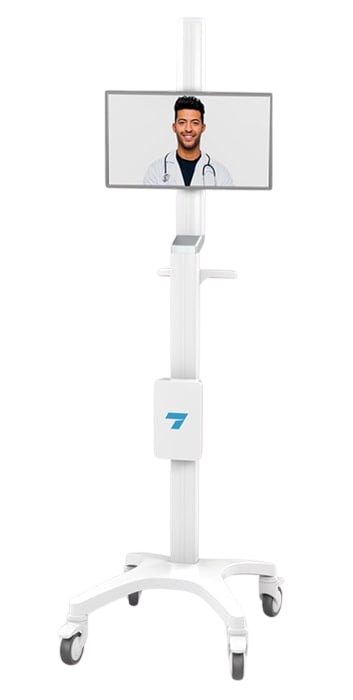
- Tryten X1 Telehealth Monitor Cart (T2900) is a mobile monitor-cart platform. Capsa lists a 72-inch pole, support for a tablet or flat-screen monitor up to 32 inches, a 22 × 20-inch base and a cart weight of 45 lb without accessories. The manufacturer product sheet says monitors, peripherals and mounting brackets are sold separately, so include each required component in the quote.
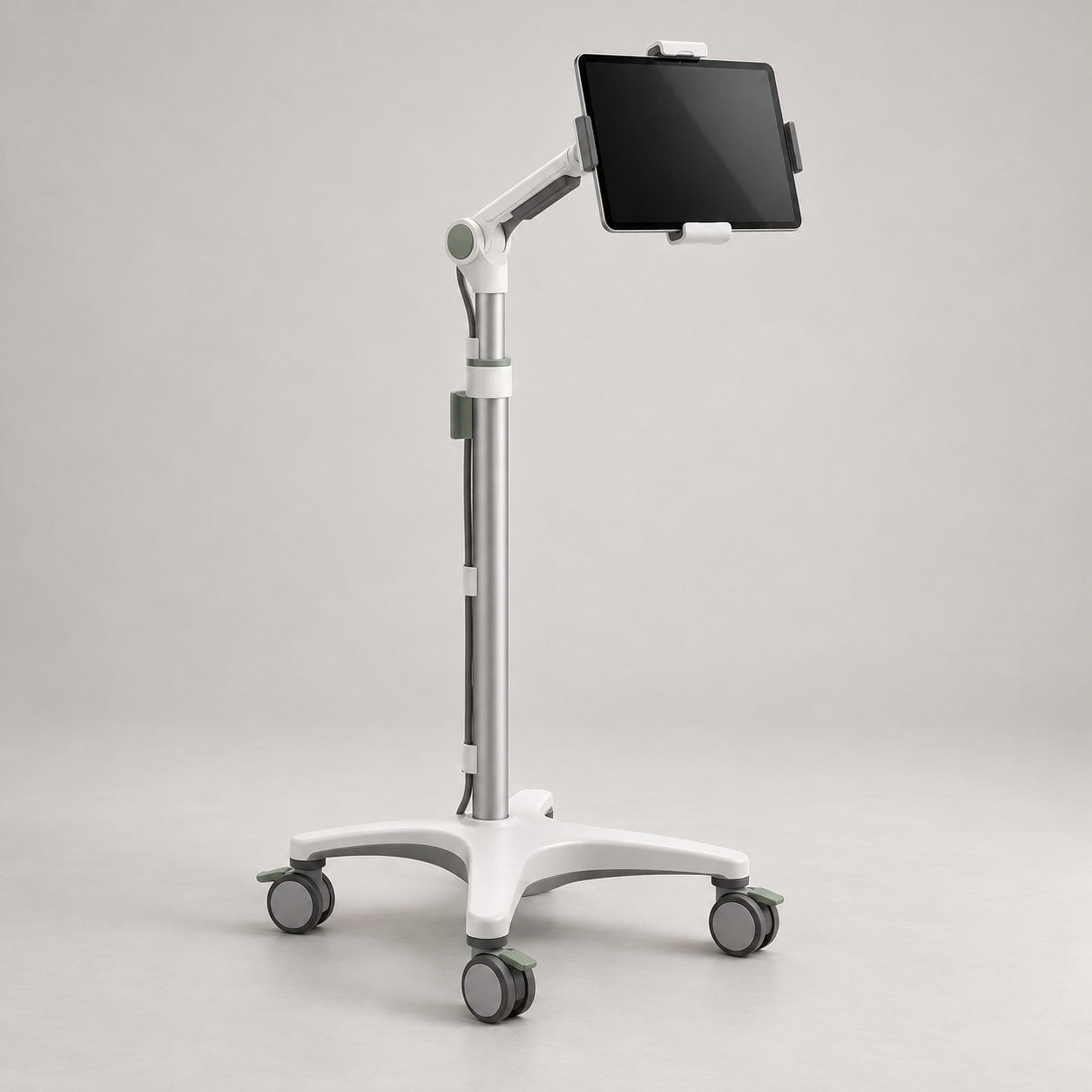
- Tryten S1 Tablet Cart (T2700) is a mobile tablet cart. Capsa lists an articulating arm with a height range of 44.4–55.4 inches and a 35 lb cart weight excluding accessories. The T2700 brochure describes an adjustable tablet mount, cable management and optional accessories. It is suitable to evaluate when a tablet-based station is enough; it should not be treated as a supplied video platform, conferencing service or diagnostic setup.
The exact [CareLink], [T2900] and [T2700] filtered listings show the assigned catalogue items. Dimensions and accessory details above come from Capsa materials and refer to published configurations; ask Capsa or Franance to confirm the current revision and the contents of the offered configuration.
When should I choose the CareLink Telemedicine Cart?
Consider CareLink when the project calls for a configurable mobile station that can support remote video communication and selected diagnostic peripherals. Capsa describes the telemedicine cart as facilitating virtual care and timely diagnostics. Its brochure identifies I/O Pod plug-and-play capability for integrating medical peripheral cameras and scopes, a ventilated cabinet for a PC or codec, optional storage for diagnostic peripherals, camera mounts and single- or dual-monitor configurations. Those options make CareLink distinct from a basic tablet stand or monitor trolley.
CareLink still requires a precise bill of materials. Specify the peripheral camera, scope or other device by manufacturer and model, its cable and interface, whether it connects through the I/O Pod, where the PC or codec will sit, the monitor arrangement and the video-conferencing and audio equipment. Ask which pieces are included, which are options, which require separate licences, and who will validate the connected workflow. The brochure does not establish that every clinical peripheral is compatible with every CareLink build.
Capsa’s CareLink configurator helps illustrate that the platform is selected according to a use case and options. It includes separate configurations and accessories; do not transfer a power, lift, storage or accessory feature from another CareLink use case to the telemedicine-cart quotation without confirming it. The manufacturer’s CareLink section in the point-of-care brochure is the reference for the telemedicine-cart options cited here.
What does the Tryten X1 monitor cart include?
Capsa’s Tryten X1 product page describes the X1 as a monitor cart for telemedicine and video-based services. The manufacturer lists a 72-inch pole, support for tablets or flat-screen monitors up to 32 inches, a 22 × 20-inch base and 45 lb cart weight excluding accessories. The product page identifies included cart components such as the X-series pole, offset adapter and extension, base with locking casters, large utility box, ergonomic handle, cord-wrap bars and hardware pack. Consult the current offer because product contents and regional supply can differ.
The listed maximum display size does not by itself prove that a particular monitor, VESA pattern, webcam, video bar or computer will fit. Give the quote team the monitor make and model, screen size, weight, VESA pattern, desired tilt, camera position and any computer or codec. Include audio devices and cable routing. Capsa lists optional mounts for accessories such as cameras, speakers, work surfaces and video-conferencing equipment; ask for exact accessory part numbers and the allowed configuration.
Capsa describes a large, height-adjustable utility box with power points and concealed cable management. Confirm the electrical supply, plug and power distribution proposed for a Nigerian facility, and make sure it matches the devices and project electrical review. Do not assume a cart has a battery or uninterruptible power supply unless it is named in the quotation. The manufacturer also publishes an IEC 60601 tip-resistance test statement for the X1 base; it is not blanket approval of every possible monitor and accessory combination. Verify the loaded build and its intended environment with the manufacturer.
Is the Tryten S1 a complete telehealth system?
No. The S1 is a tablet-cart platform, not a complete telehealth endpoint or clinical service. Capsa identifies the S1 as product T2700 and describes an articulating arm with a 44.4–55.4-inch height range. The manufacturer brochure also describes the tablet’s tilt, horizontal pan and rotation, a four-wheel base with locking casters, concealed cable management and a large utility box. The brochure lists virtual care, virtual visits, virtual rounding, video remote interpreting and EHR workflow among intended use cases; these are use cases, not guaranteed clinical or software capabilities.
Specify the tablet make, exact model, case dimensions and thickness, orientation, whether a locking enclosure is needed, charging method, charging cable and any power accessory. Confirm that the selected holder accepts the exact device and protective case. The manufacturer describes a universal tablet mount, but “universal” does not mean every tablet and case will fit without checking dimensions and mount configuration. If the workflow needs a larger display, external camera, speakerphone or diagnostic scope, compare the X1 or CareLink requirements rather than assuming the S1 carries the same accessories.
The Tryten brochure provides published cart dimensions and features, but it does not establish that a particular tablet, conferencing application, Wi-Fi network, video call or hospital system is included. Ask the IT team to select and test those elements independently. The product record also identifies the cart’s weight excluding accessories; consider the complete loaded cart when planning routes, storage and handling.
How do I match a cart to the virtual-care workflow?
Write the workflow in operational terms before selecting a cart. Identify who starts the session, who is present at the patient side, whether the patient or staff must see a large display, whether a tablet can meet the need, and whether the care team must view a diagnostic-peripheral image remotely. Note whether the cart moves between rooms, stays in one consultation space or is positioned beside a bed. These answers help distinguish a CareLink peripheral workflow from a monitor-centred X1 or tablet-centred S1.
List each device that must travel on the cart: computer or codec, monitor or tablet, camera, microphone/speaker, peripheral camera or scope, keyboard, scanner, power supply, storage and any charging equipment. For each item, record dimensions, weight, mounting interface, cable length, power draw and connection type from its own documentation. Ask the cart manufacturer to confirm that the mount and selected configuration support the intended combination. Do not infer compatibility from a product photo or from the fact that another cart in the product family has a similar accessory.
Define user needs as well: seated and standing use, screen visibility, reach, handle position, parking and locking, privacy of conversations, device cleaning protocol and who is responsible for moving or charging the station. If staff use multiple carts, consider whether standardizing device and accessory configurations will make maintenance and training easier. These are project-design questions, not features guaranteed by the catalogue listing.
Which devices, mounts and interfaces must be specified?
Specify the exact device models and their required mounting patterns before comparing quotes. For displays, include screen size, weight and VESA pattern; for tablets, include the tablet plus case dimensions; for cameras, include weight, connector, field-of-view and preferred mounting position; for audio devices, include the mounting and connection needs. For diagnostic peripherals, give the manufacturer, model, output format, required interface, software and any accessory that allows the remote team to view the feed. Request manufacturer confirmation of compatibility for the proposed cart configuration.
CareLink is the listed cart with manufacturer-described I/O Pod integration for selected medical peripheral cameras and scopes. That description does not identify all compatible devices or guarantee a connection to a particular electronic record, video service or diagnostic application. Ask the quote to name the exact I/O Pod, peripheral interface, cable, software, codec, camera mount and monitors. If the work involves protected health information, the hospital IT and privacy teams should assess the selected applications, endpoints, network paths, access controls and data flows under their policies before deployment.
For X1 and S1, distinguish cart hardware from the electronic equipment it carries. A cart may support a selected monitor or tablet without including the device, application, conferencing account or network connectivity. Ask whether mounts, power accessories and cables are standard, optional or customer-supplied. Request a complete included/excluded schedule to prevent a cart-only quotation being mistaken for a ready-to-use telehealth system.
What should I check about room fit, movement and power?
Measure the space where the cart will park and the narrowest point on its route: doorways, lifts, thresholds, bed clearances, corridor turns, storage locations and charging points. Consider the loaded footprint rather than the base dimensions alone, because monitors, utility boxes, handles and peripherals may extend beyond the base. Confirm the actual assembled cart dimensions and total loaded weight with the proposed accessories. Tryten X1’s published base is 22 × 20 inches; Capsa’s S1 brochure describes a compact four-wheel base. For CareLink, request the drawing or dimensional schedule for the chosen configuration.
Confirm how the cart will receive power and how it will be parked or charged between uses. Ask whether the selected build is corded, battery-powered or uses separately selected power equipment; do not assume any of those from the category. Check outlet locations, cord length, cable routing, plug type and the planned route to avoid trip hazards. Where a cart includes a utility box or power points, verify the input and output ratings against all installed devices and the facility electrical plan.
Ask the supplier to specify wheel locks, handles, brakes, accessories, storage, assembly and any cleaning instructions for the exact model. Capsa’s Tryten product materials list locking casters and concealed cable management for the relevant products. CareLink options differ and should be confirmed from the chosen configuration. Have the facility’s clinical engineering, IT, facilities and infection-prevention teams review the planned setup before routine use. Do not extrapolate an equipment-cleaning claim or safety test beyond the exact product documentation.
How should Nigerian facilities plan IT and deployment?
Treat the cart and the telehealth service as a coordinated project. The hospital’s IT team should identify the network connection, Wi-Fi coverage where carts will be used, permitted video platform, endpoint management, account provisioning, camera and microphone privacy controls, software updates and technical support path. Determine whether the cart needs to connect to a facility system or whether it only provides a mobile mount for separately managed devices. Confirm that the selected conferencing software and any peripheral application are supported on the specified computer or tablet.
Map who supplies and configures each layer: cart, devices, mounts, operating system, conferencing software, diagnostic peripherals, network access, user accounts, installation and training. Ask the quote to distinguish physical assembly from software configuration, IT integration, cybersecurity review, acceptance testing and ongoing support. Do not assume that Capsa or Franance provides a Nigerian implementation service just because the cart is offered for quotation. Confirm the responsible party, location, scope, cost and availability in writing.
For a multi-site rollout, list the number of carts by model, department and destination; document standard configuration, approved exceptions, spare accessories, charging arrangements and staff orientation needs. Include a representative pilot or acceptance plan if the facility requires one. A phased deployment can help the team validate room fit and device compatibility before placing a larger order, but the project must define its own success criteria and procurement process.
What should a telemedicine cart quotation include in Nigeria?
Send Franance the exact Capsa model or product number, quantity, hospital and delivery city/state, intended workflow and a device list. Add the tablet or display make and model, computer or codec, camera, audio, diagnostic peripherals, mounts, storage, power, charging, cable-management and network requirements. Include route dimensions, room type, installation or assembly requirements, requested training and the facility’s preferred schedule. For CareLink, identify the peripheral and interface plan; for X1, list monitor size/weight/VESA and accessory brackets; for S1, list tablet and case dimensions plus the holder and power requirements.
Ask the written quotation to show the cart base configuration and each component as included, optional or customer-supplied. Request manufacturer confirmation of device fit, current product revision, accessory part numbers, electrical/power requirements, assembly, installation, configuration, software or licence exclusions, delivery, warranty territory and support route. If a requested service is not available at the destination, ask that this is stated clearly before approval.
Confirm price and currency, quote validity, stock status, lead time, export/import responsibilities, freight, insurance, customs and delivery terms directly with the supplier. The reviewed manufacturer pages do not confirm Nigerian stock, local warranty or service. Make sure any requested installation, user training, integration or maintenance scope is separately priced and assigned to a named provider. This allows the facility to compare a cart-only offer with a configured project offer without assuming they contain the same equipment.
How do I place a telemedicine cart quote order?
Open the CareLink listing, Tryten X1 / T2900 listing or Tryten S1 / T2700 listing and send the selected model, device schedule, quantities, Nigeria destination and requested project scope through a telemedicine cart quotation request. Franance will follow up by phone or email to clarify the configuration. The listing supports a quote order; it is not online checkout.
Manufacturer sources and scope limits
Product roles and options in this guide are based on Capsa Healthcare’s CareLink and point-of-care brochure, CareLink configurator, Tryten X1 product page, Tryten X1 product sheet, Tryten S-Series brochure and Tryten S-series product information. Use the current model documentation and configuration schedule for final specifications.
CareLink, Tryten X1 and Tryten S1 have distinct equipment roles. Manufacturer descriptions do not guarantee compatibility with all peripherals, devices, software, interfaces or clinical workflows. This guide does not establish clinical effectiveness, regulatory approval, Nigerian availability, price, import status, local warranty, installation, training or after-sales coverage. Confirm the exact configuration and commercial terms with Capsa, Franance and the facility’s IT, clinical engineering and procurement teams before ordering.
Common questions
Do these carts include video-conferencing software and a camera?
Not as a category-wide guarantee. CareLink is configurable with a chosen video-conferencing and audio setup, and its brochure lists optional camera mounting. Tryten X1 and S1 are cart platforms with model-specific mounts and accessories. Ask the quotation to list every supplied device, licence and accessory.
Which listed cart supports diagnostic peripherals?
Capsa describes CareLink for video communication and diagnostic-peripheral workflows, including an optional I/O Pod for integrating peripheral cameras and scopes. The exact device, interface, software and compatible configuration must be confirmed with Capsa before purchase.
Can I order a telemedicine cart online?
Franance handles catalogue requests as quotation orders. Submit the configuration and Nigeria delivery destination; Franance will follow up by phone or email. The catalogue does not take online payment.
Request a telemedicine cart quotation in Nigeria.
Tell Franance whether you need CareLink, Tryten X1 or Tryten S1, the devices and accessories to be mounted, the intended virtual-care workflow, room and power requirements, quantity and facility destination. Ask the written quotation to confirm exact inclusions, configuration, delivery, installation and support terms.
Request a telemedicine cart quoteNeed an equipment quote?
Add the models you need to a quote order, or send us your equipment list.