
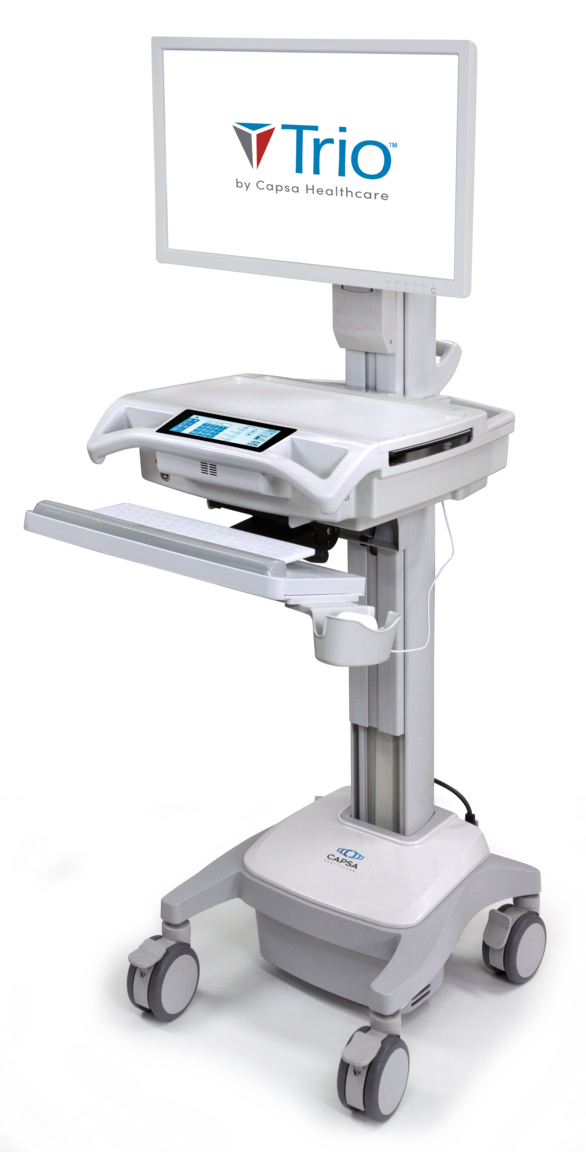
Trio Mobile Clinical Computing Workstation
Powered mobile clinical computing workstation platform
Price on request
Medical equipment and biomedical engineering.
Abuja, Nigeria.
Buy a hospital clinical workstation in Nigeria through Franance by specifying the mobile cart, power and lift configuration, computer/display hardware and peripherals. The category currently lists three Capsa Trio variants: non-powered Trio NP, powered Trio LT and the configurable Trio mobile workstation platform. These records describe workstation carts and platforms, not guaranteed bundled PCs, clinical software, EHR integration or medical-device-certified systems. Submit the intended workflow and configuration for a quotation; Franance follows up by phone or email.
3 models
Powered mobile clinical computing workstation platform
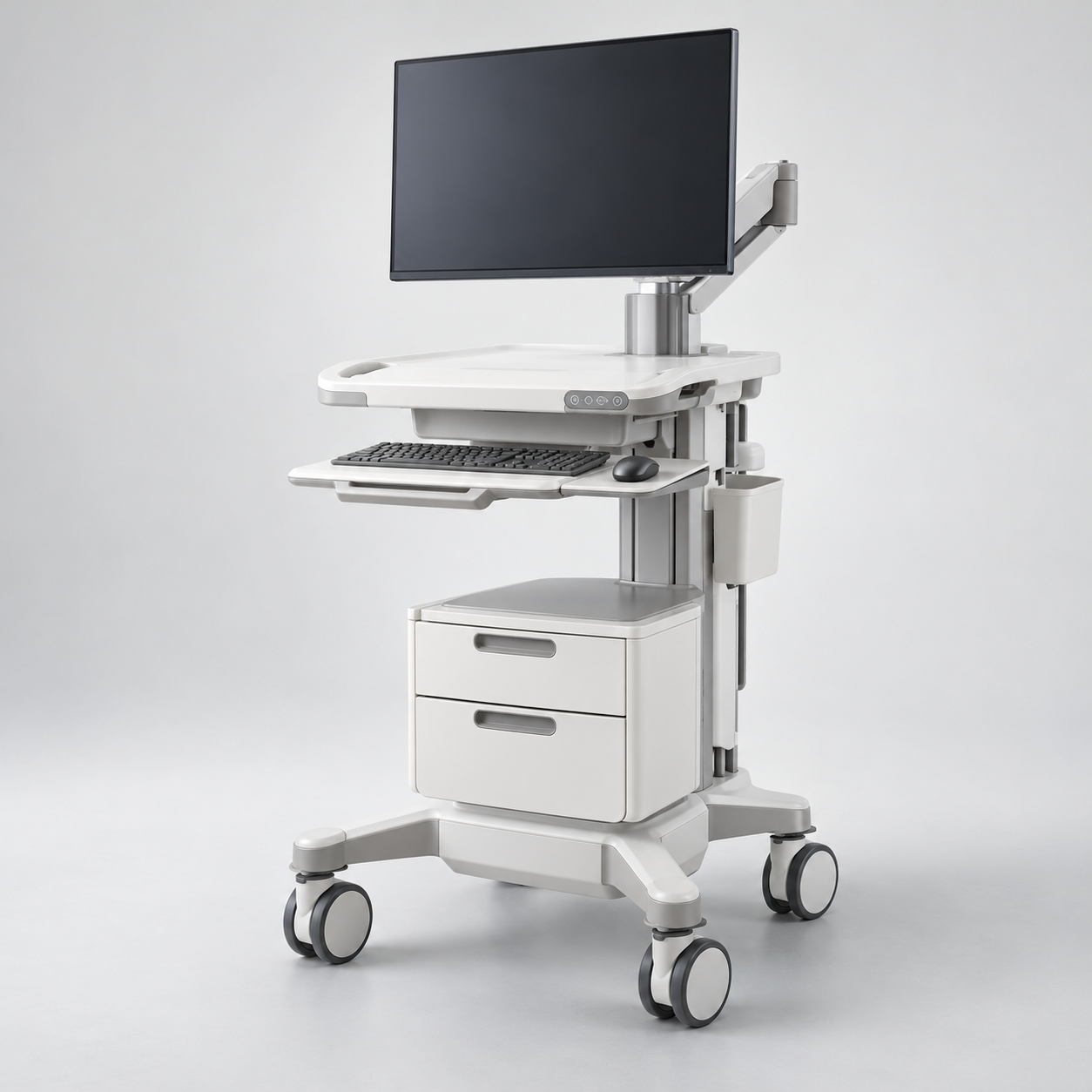
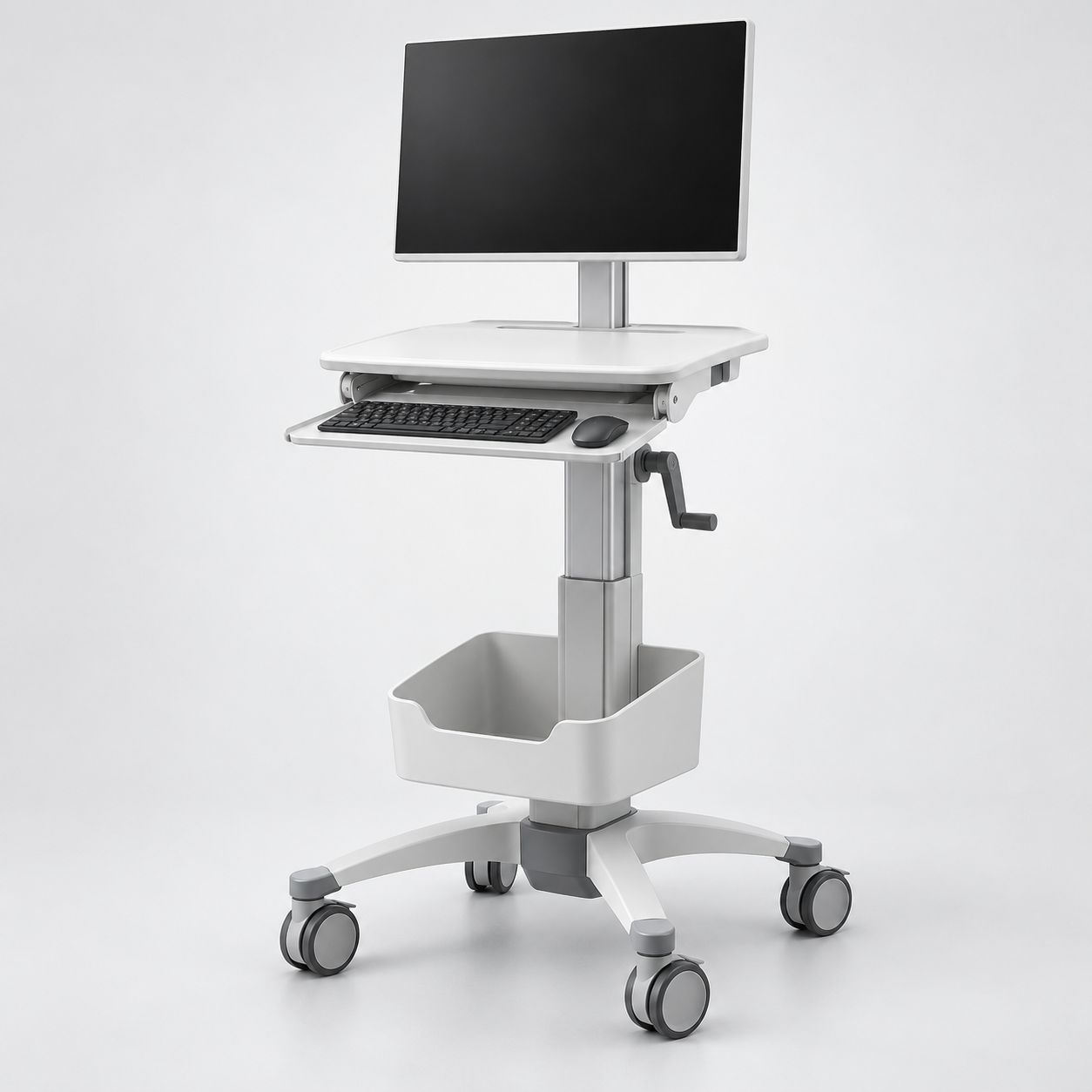
The three current assignments are all Capsa Trio mobile workstation variants, so the meaningful comparison is power, lift, cart configuration and separately supplied computing equipment. The Trio NP uses no powered battery system and has manual height adjustment. The Trio LT is the powered Trio LT cart, with GoLiFe power options and manual or electronic lift options described by Capsa. The Trio mobile workstation platform is a separate configurable powered Trio record with additional platform features and configuration questions.
Read moreCapsa identifies Trio NP as a non-powered cart with manual lift. The manufacturer describes it for lighter-duty applications and lists configurable storage and accessories. It may suit workflows that do not require a cart-mounted battery to run the computer continuously, but that does not establish whether a particular laptop or monitor can be used without power. Determine where the computing device draws power and how the cart will be used between wall outlets. Confirm the display mount, computer placement, keyboard shelf, storage and locking options in the written configuration.
Read moreNo. A general-purpose PC, laptop or tablet is computing hardware. A mobile clinical workstation or computer cart is a physical platform that supports a computer and display at the point of care; some powered carts also supply battery power, height adjustment, storage or peripherals. A cart may be sold without the computer, monitor or clinical software. The words “clinical” or “hospital” in a product name do not establish that a standard PC has medical electrical certification, infection-control validation, clinical software approval or integration with the facility’s electronic health record.
Read moreBuy a hospital clinical workstation in Nigeria by deciding whether you need a mobile cart, how it will be powered, and which computer, display and peripherals must be fitted. Franance currently lists three Capsa Healthcare Trio configurations: Trio NP, a non-powered workstation with manual lift; Trio LT, a powered cart platform with configurable power and lift options; and the Trio mobile clinical computing workstation, the fuller configurable powered platform. These catalogue records describe workstation carts and platforms, not guaranteed pre-bundled PCs, clinical software, EHR integration or medical-device-certified systems. Send Franance your workflow and configuration requirements for a quotation; Franance will follow up by phone or email. Browse the clinical workstation category. The available Trio NP filter returns the NP record, and the Trio platform filter returns the full Trio platform record. The Trio LT search currently also matches the other Trio family records because the shared brand name “Healthcare” contains the letters “lt”; use the exact Trio LT quotation request to identify it unambiguously. This is a catalogue search limitation, not evidence that the three configurations are identical.
The three current assignments are all Capsa Trio mobile workstation variants, so the meaningful comparison is power, lift, cart configuration and separately supplied computing equipment. The Trio NP uses no powered battery system and has manual height adjustment. The Trio LT is the powered Trio LT cart, with GoLiFe power options and manual or electronic lift options described by Capsa. The Trio mobile workstation platform is a separate configurable powered Trio record with additional platform features and configuration questions.
Capsa describes Trio workstations on wheels for clinical environments, but “clinical workstation” does not mean that every component is a medical computer. The computer, monitor, operating system, EHR or other application, scanners, printers, mounting arms, power system and fleet-management functions must be checked against the selected configuration and itemized. The records explicitly state that computing hardware and peripherals may be supplied or configured separately. Confirm what the quotation includes before comparing models or prices.
Start with the task: bedside charting, point-of-care data entry, registration, rounding or another defined workflow. Then decide if the workstation needs continuous power away from wall outlets, adjustable height, a particular screen size, keyboard and mouse arrangement, secure storage, cleaning-compatible surfaces, barcode scanning or printer mounting. The cart platform supports a physical workflow; it does not provide the clinical application or prove that an application integrates with hospital systems.
Capsa identifies Trio NP as a non-powered cart with manual lift. The manufacturer describes it for lighter-duty applications and lists configurable storage and accessories. It may suit workflows that do not require a cart-mounted battery to run the computer continuously, but that does not establish whether a particular laptop or monitor can be used without power. Determine where the computing device draws power and how the cart will be used between wall outlets. Confirm the display mount, computer placement, keyboard shelf, storage and locking options in the written configuration.
Capsa describes Trio LT as a powered workstation and the LT/NP brochure distinguishes its powered GoLiFe system from NP’s non-powered platform. Trio LT options include GoLiFe power choices, an optional external battery, configurable storage and manual or electronic lift. These are options, not universal inclusions. Ask the supplier to identify the installed battery capacity, external battery and charger if required, selected lift, expected connected electrical load and any accessories. Runtime depends on the selected power configuration and actual load; do not rely on a generic “full shift” claim without a model-specific workload and written configuration.
Capsa’s Trio mobile workstation page describes the configurable platform with options including GoLiFe power, N-Stride steering assistance, N-Sight fleet management, different storage configurations and monitor/peripheral accessories. Verify which of those features apply to the item being offered. A feature mentioned on a family page is not automatically part of every quote or local service package.
The current Trio LT results page is a broad text search that includes the entire Capsa Healthcare Trio family; it is not a unique LT-only filter. Request the Trio LT model by name so the enquiry names the intended configuration, and ask for the exact manufacturer model and configuration sheet in the offer.
No. A general-purpose PC, laptop or tablet is computing hardware. A mobile clinical workstation or computer cart is a physical platform that supports a computer and display at the point of care; some powered carts also supply battery power, height adjustment, storage or peripherals. A cart may be sold without the computer, monitor or clinical software. The words “clinical” or “hospital” in a product name do not establish that a standard PC has medical electrical certification, infection-control validation, clinical software approval or integration with the facility’s electronic health record.
Confirm the intended electrical environment and applicable equipment standards with the hospital’s biomedical engineering, IT and facilities teams. If the workstation will be used near or connected to other medical electrical equipment, the responsible technical authority should assess the whole system and accessories under applicable local requirements. Do not infer compliance from a cart manufacturer’s healthcare positioning or from a computer’s use in a hospital.
Likewise, a workstation platform does not itself integrate with the EHR. Capsa describes use cases for bedside documentation and registration, but the specific computer, operating system, authentication, network connection, device management and EHR software are separate technical decisions. Have the hospital IT team verify the application, network security, identity management, peripheral support and vendor responsibilities before procurement.
For a powered cart, list the computer, display, peripherals and any other connected loads, then confirm the battery/power configuration and charging workflow with the vendor. Provide expected duty cycle, time away from charging, standby behavior and number of users per cart. Ask for the applicable runtime assumptions and documentation for the quoted battery. Include external battery or charging station only if required and explicitly itemized. Confirm replacement battery availability, maintenance, transport/storage and end-of-life responsibilities for the Nigerian site.
For height and ergonomics, identify the expected seated and standing users, work-surface height, monitor position, keyboard use and adjustment method. Capsa lists a work-surface height range of 33.5–49.5 inches for Trio-family configurations; verify the exact model, measurement, adjustment mechanism and accessories. Check the route through doorways, elevators and bedside spaces, the floor condition, turning clearances, caster size and movement thresholds. Do not infer steering assistance on NP or LT unless the selected configuration includes it.
Specify storage by contents and workflow: open bins, drawers, key or electronic locks, printer/scanner shelf, cable routing, accessory mounts and waste/sharps accessories if relevant. Tell the supplier what must be secured and who needs access. A workstation accessory or medication-storage option is not included merely because Capsa advertises it for the product family. Verify cleaning instructions and facility-approved disinfectants for all touch surfaces and attached devices; do not assume antimicrobial claims substitute for the hospital’s cleaning protocol.
Before selecting a cart, document the intended computer form factor and exact model, operating system, display size and weight, mount pattern, ports, power supply, keyboard, mouse, scanner, printer and any camera or diagnostic peripheral. Confirm mounting range, cable routing and load limits using the configuration drawing and manuals. Ask whether the computer sits in a CPU cavity, on a shelf or in a separate mount, and whether the selected device can be serviced without dismantling the cart. The product records do not specify a bundled PC or universal computer compatibility.
The hospital’s IT team should define network connectivity, wireless coverage at the point of care, device enrollment, endpoint protection, patching, authentication, badge/PIN functions, remote management and permitted cloud connections. Capsa describes N-Sight as a fleet-management platform for Trio and CareLink workstations; establish whether it is included, licensed, cloud-hosted, available in the intended region and acceptable to the hospital’s cybersecurity and privacy policies. Do not send patient data to a cart management system unless the vendor documentation and hospital governance confirm the data flow and purpose.
For EHR use, test the actual application and peripherals on the quoted hardware, including sign-in, logout, patient-context changes, printing or scanning, wireless roaming and recovery after power interruption. Obtain written responsibility for configuration, licenses, interface work, support and software updates. A product listing or family use case is not evidence that a particular system has been integrated with the hospital’s EHR.
For a Nigerian facility, provide the site location, floor and department, quantity by workflow, expected operating hours, charging locations, network availability, route constraints, elevator/door widths, storage needs and cleaning protocol. Confirm the local electrical supply, supplied cords and chargers, earthing, surge protection and any facility-approved backup arrangements for the exact computer and cart package. A powered cart’s battery does not remove the need to plan safe charging, battery maintenance and computer power management.
Plan deployment as an operational change, not just delivery of carts. Decide which team owns the cart fleet, cleaning, storage, charging, software, user access, spare parts and repairs. Agree on assembly, configuration, testing, staff orientation, acceptance and support. For electronic locks or badge/PIN features, define access roles, lost credentials, audit needs and service continuity. For high-value or shared assets, clarify asset tagging and fleet tracking requirements.
Capsa’s product pages describe warranty and service networks, but manufacturer terms can vary by region and the current product record does not establish Nigerian entitlement, authorized local support, parts availability or response time. Request written confirmation for the Nigerian site, including warranty provider, parts and labor coverage, exclusions, return logistics, preventive maintenance, battery replacement and escalation path. Confirm whether installation, training, qualification or integration services are included or quoted separately.
Send Franance the facility name and delivery location, city and state; number of carts; intended workflow and user group; whether the requirement is Trio NP, Trio LT or the full Trio platform; computer and display models; required height adjustment, power/runtime needs, storage, mounts, peripherals, locking and fleet management; charging arrangements; IT/network constraints; and requested delivery, setup, training and service scope. If the computer will be supplied separately, state who will procure, install and support it.
Ask for an itemized quotation naming the exact Capsa model and configuration, computer and monitor status, battery and charger references, lift option, storage/drawer locks, mounts, accessories, software/licenses, included documentation, installation, training, warranty and service terms. Include quote currency, validity, taxes/import/shipping, delivery estimate, exclusions and payment terms. Ask the supplier to flag any compatibility assumptions and provide configuration drawings and manuals before approval.
The clinical workstation listings contain the current assigned Trio products. Browse the broader healthcare IT category or all medical and laboratory products for related equipment. Franance accepts quote orders and follows up by phone or email; request a clinical workstation quotation with the facility workflow and configuration details. The catalogue does not confirm online stock or immediate shipment. Verify the final offer against the facility’s biomedical engineering, IT, infection prevention and procurement requirements before ordering.
### Does Trio NP include a computer and battery?
The assigned product record describes Trio NP as a non-powered cart with manual lift and says computer/display hardware are not guaranteed as included. Confirm all hardware and power arrangements in the quote.
### What is the difference between Trio NP and Trio LT?
Capsa describes NP as a non-powered workstation with manual lift. LT is powered and can be configured with GoLiFe power and lift options. Confirm the precise battery, external battery, lift, computer and accessories for the offered package.
### Is the Capsa Trio a medical-certified computer?
The catalogue records describe workstation cart platforms; they do not establish medical electrical certification for a separately selected PC, display or the complete configured system. Ask the manufacturer and hospital technical authority to verify the applicable requirements for the exact use.
### Will a Trio cart integrate with our EHR?
The cart is a physical workstation platform. EHR access depends on the chosen computer, software, network, authentication, licensing and configuration. Have the hospital IT team test and approve the exact proposed system.
### Is the Trio LT model filter unique?
No. The current listing search for “LT” also matches the other Trio products because “Capsa Healthcare” includes the letters “lt.” Use the exact Trio LT enquiry link and require the model/configuration to be named in the quote.
Manufacturer sources reviewed: Capsa Trio NP Computing Workstation, Capsa Trio LT Computing Workstation, Capsa Trio Mobile Computing Workstation, Capsa Trio LT and NP brochure, Capsa GoLiFe power system, and Capsa Trio user manual.
The current Franance category contains three Capsa Trio records. Manufacturer feature and warranty descriptions are subject to model, configuration and regional terms; they do not establish Nigerian stock, support, warranty entitlement, local certification, EHR integration or site suitability. Product category labels are not regulatory declarations. Confirm the exact cart, computer, display, accessories, software, standards, data flows, power and service requirements in writing with Capsa, Franance and the facility’s responsible technical teams.
The assigned product record describes Trio NP as a non-powered cart with manual lift and says computer/display hardware are not guaranteed as included. Confirm all hardware and power arrangements in the quote.
Capsa describes NP as non-powered with manual lift. LT is powered and can be configured with GoLiFe power and lift options. Confirm the precise battery, external battery, lift, computer and accessories for the offered package.
The catalogue records describe workstation cart platforms; they do not establish medical electrical certification for a separately selected PC, display or complete system. Ask the manufacturer and hospital technical authority to verify applicable requirements.
The cart is a physical workstation platform. EHR access depends on the chosen computer, software, network, authentication, licensing and configuration. Have the hospital IT team test and approve the exact proposed system.
No. The current listing search for LT also matches the other Trio products because Capsa Healthcare includes those letters. Use the exact Trio LT enquiry route and require the model/configuration to be named in the quotation.
Send Franance the exact Trio variant, workstation configuration, computer and peripherals, intended workflow, Nigerian site details and requested delivery, setup or support scope. Franance will follow up by phone or email to clarify the quote.
Request a clinical workstation quoteAdd the models you need to a quote order, or send us your equipment list.