

Planmeca equipment service enquiries in Nigeria
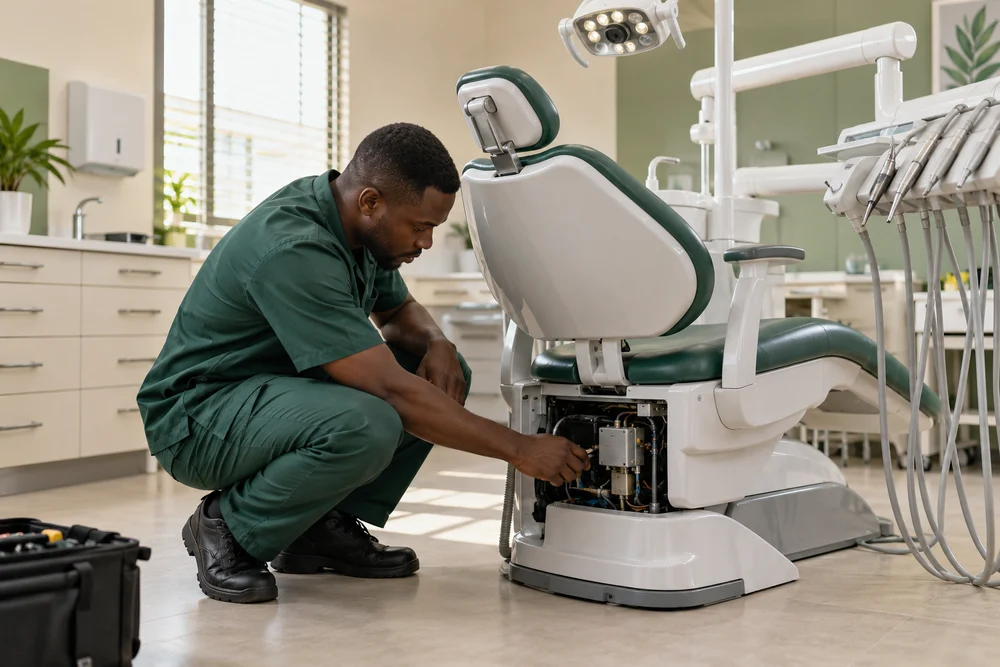
Planmeca device and software identity in Nigeria
List the exact imaging unit, intraoral sensor, treatment unit or simulation system, then provide serial, software version, room and installed options. Separate every device in a multi-room clinic.
The product family name alone does not identify a sensor size, imaging configuration, chair options or software context. Include the equipment label and installation or service record when available, and ask the written response to list any unresolved variant before work is planned.
A clinic may operate imaging and treatment equipment in adjacent rooms but still needs a distinct record for each unit. Add the category, serial, room and software to the list, and identify which assets share a workstation or network. This gives procurement a practical inventory for comparing scope across different Planmeca equipment types.
Include the last service date, active issue history and any product registration or installation record in the equipment file. This helps a reviewer understand the unit’s documented history without treating an unverified symptom as a diagnosis.
Keep imaging, intraoral sensor and treatment-unit requests in separate rows even if one supplier handles the discussion.
ProMax panoramic and CBCT imaging in Nigeria
ProMax 2D and ProMax 3D Mid are different imaging systems. Identify the exact model and describe whether the concern relates to acquisition, display, workstation, movement or data transfer.
Keep the imaging system and its workstation on the same asset line but distinguish them in the request. Ask whether the proposed review covers the device, software, image storage or third-party interface; do not send patient images for initial troubleshooting.
For ProMax imaging, specify whether the asset is the 2D panoramic or 3D Mid unit and identify the workstation. State if the request concerns mechanical motion, image acquisition, display or file transfer. The goal is to help the written assessment select the applicable product reference, not to infer a fault or interpret diagnostic images.
For an imaging concern, identify whether the system is ProMax 2D or 3D Mid and list the workstation and software. Ask the proposal to clarify whether its scope addresses movement, image acquisition, display or file transfer.
A model-specific product page or manual can help resolve a nameplate mismatch before a quote is finalized.
ProX and ProSensor HD components in Nigeria
ProX is an intraoral X-ray unit, while ProSensor HD is a separate digital sensor family with size variants. State the parent unit and exact sensor size or identifier.
If the concern follows one sensor, cable or workstation, say so and list its reference. Ask for a compatibility check against the actual ProX installation and for separate parts, labour and verification lines where relevant.
A ProX X-ray unit and ProSensor HD sensor are not the same service item. Include the sensor size and reference, cable condition and parent imaging setup when known. Ask the response to clarify whether the proposed work concerns the X-ray generator, sensor, connection or workstation and whether any replacement part needs a separate compatibility check.
A ProSensor HD size and identifier should be recorded with the imaging unit it serves. Ask whether the quotation includes only a sensor or also cable, mounting, connection or verification work; keep the replacement decision separate from image interpretation.
Confirm sensor dimensions and parent unit before requesting a replacement or service estimate.
Compact i5 and Sovereign Classic units in Nigeria
Compact i5 and Sovereign Classic are treatment-unit references with model-specific service information. Include the chair serial, software version and installed delivery, foot-control and accessory configuration.
Planmeca manuals identify device details and maintenance information within the unit context. Request a proposal that names the chair, inspection tasks, parts assumptions and returned record. Keep dental unit maintenance distinct from imaging-system review.
For Compact i5 or Sovereign Classic, gather model and software details from the unit’s own information screen or records. Ask the scope to identify the chair and any installed delivery or control options. This lets the facility compare the proposed maintenance against the right manual instead of using guidance written for a different Planmeca unit.
If the installed chair software displays a maintenance reminder, record the text and date. Ask for the model’s applicable service checklist and current maintenance record so procurement can confirm the proposed work corresponds to the right chair.
The chair’s own software and unit identity should be recorded alongside physical options.
Compact iSim training unit in Nigeria
Compact iSim is a dental simulation unit, not a patient imaging system. Identify its room, software and installed training configuration and describe the equipment or connectivity issue.
For a training-lab project, state the number of units and whether the request concerns placement, connection, maintenance or software. Ask for separate tasks for physical installation and digital configuration rather than treating them as one service item.
Training equipment can be procured for a different use and room layout than chairside equipment. List Compact iSim separately, state the number of simulation stations and describe whether the need is a device assessment, installation plan or software coordination. Request separate project lines for equipment placement and any digital connection requirement.
A simulation room may have several stations and shared digital resources. List the Compact iSim units individually and identify the workstation or network issue, if any. Ask for separate quote lines for hardware and any training-software coordination.
State whether a simulation room also needs workstation or network planning.
Maintenance and service history in Nigeria
Planmeca describes regular maintenance and publishes model-specific guidance. Share the last maintenance date, available checklist and facility schedule requirement for each unit.
Ask the written response to identify the maintenance items, replacement materials, testing or service record included. A brochure or manual from another product family should not be treated as the scope for your installed model; name the exact asset in the quotation.
Planmeca maintenance pages refer to ready-made kits and checklists for equipment upkeep. Ask the proposal to state which kit or checklist corresponds to your exact model, what consumables are included and what inspection record is returned. Treat model-specific manuals as the source for the asset, not a generic family-level schedule.
Where the facility uses a maintenance kit, list the kit or consumable reference and ask whether it is included in the proposal. The response should identify the relevant model and checklist, and state any items the facility must supply.
Ask the response to name the applicable maintenance kit or checklist version.
Romexis, network and image transfer in Nigeria
If the enquiry involves Romexis or image transfer, identify the software version, workstation, connected imaging unit, destination system and facility IT owner.
Planmeca provides support resources for imaging and software. Ask whether any proposed work covers device assessment, software, network or data transfer, and what facility permissions or third-party coordination are required. Do not include patient identifiers or credentials in the request.
If the clinic uses Romexis, identify the version, workstation and equipment endpoint in the enquiry. Ask whether software support is included and which facility IT contact needs to join. Keep the request clear about image transfer or system-state observations; do not attach patient files or share account credentials in an initial message.
If a software or transfer issue is suspected, document the workstation, software version and last known working state. Ask which system owner needs to join the review, and do not share patient identifiers or account access in the enquiry.
Keep any requested remote or software coordination separate from physical equipment work.
Planmeca project assessment and quotation in Nigeria
Request a written Franance assessment naming the unit, installed options, task, site dependencies, required records and commercial terms.
For a project, compare imaging, treatment-unit, software and room-planning lines separately. Before approval, resolve model and software versions, access route, room readiness and who will provide each handover document.
For a project quote, share room dimensions, access route and any known utilities from facility drawings. Ask the written proposal to state site assumptions, installation tasks, software and imaging dependencies, handover records and exclusions. These details help the practice compare a defined scope with its project request before authorizing a date.
A project scope can distinguish delivery, room preparation, device setup and software handover. Ask Franance to identify which lines are offered for review and which depend on manufacturer or third-party coordination.
Request a handover list that records configuration and work completed by asset.
Common questions about planmeca dental imaging and treatment-unit services in Nigeria
Which Planmeca models are in scope?
The relevant catalogue models include ProMax 2D, ProMax 3D Mid, ProX, ProSensor HD, Compact i5, Compact iSim and Sovereign Classic. Use the model and serial from each installed asset so the request can be assessed against the correct product reference.
What details distinguish ProMax 2D from ProMax 3D Mid?
Use the exact unit label and workstation information. Describe whether the enquiry concerns acquisition, display, movement or transfer, and ask for the corresponding model-specific assessment.
Can ProSensor HD be quoted with ProX?
List the sensor size and reference and the parent imaging setup. Ask for written compatibility confirmation and separate lines for sensor, cable, fitting or equipment assessment.
What Planmeca details help scope maintenance?
Provide model, serial, software version, last maintenance date and the checklist or kit reference available. Ask the quote to identify which maintenance items and report apply to the installed unit.
How do I request a written Planmeca response in Nigeria?
Use the Franance technical-support contact flow and request an equipment assessment or quotation. Include the exact model, facility location and callback details; review the proposed scope and commercial terms before approval.
Tell us what your facility needs.
Send the equipment details, your requirement and the facility location. We’ll discuss the information needed to review the scope and prepare the next step.
Contact Franance