

MAICO audiology equipment service enquiries in Nigeria
MAICO audiology equipment services in Nigeria
Begin with the exact product: MA 25, MA 28, touchTymp MI 26 or touchTymp MI 36. MAICO describes the MA models as audiometers, while touchTymp models are tympanometry and middle-ear systems; the MI 26 and MI 36 have different feature sets. Provide model, serial or asset ID, department, facility city and desired outcome.
For a fleet enquiry, list each instrument separately, including whether it is used in a fixed audiology room, mobile clinic or another facility setting. Note the current status and whether you need a fault assessment, maintenance proposal, accessory identification, software question or replacement quotation. Distinct assets should not be grouped under only the brand name.
The manufacturer’s support area provides technical resources, downloads, training and remote assistance information. A Franance enquiry should focus on your device and site: exact model, observed issue or procurement goal, and the records you want addressed. This gives the response a concrete basis for a written scope.
MA 25 and MA 28 audiometer service in Nigeria
The MA 25 is a portable screening audiometer; MAICO lists air-conduction audiometry, pure-tone and warble-tone signals, multiple frequencies, and an MA 25e variant with additional features. The MA 28 is a distinct portable model that supports air conduction and optional bone conduction and has a larger colour display and an internal database. Use the exact name and model label.
When requesting assessment, state whether the question concerns the audiometer itself, display or controls, headset, patient response switch, power supply, carrying case or data transfer. Identify the accessory by its own reference where available. For MA 28, mention whether bone-conduction accessories or a printer are part of the configuration, rather than assuming the base model includes every option.
For replacement planning, ask the quotation to distinguish MA 25 from MA 25e and MA 28, and to list standard and optional items separately. Include the room’s existing accessories, PC software or database connections if they affect the purchase. Current model and accessory records help the written response identify a suitable scope for review.
touchTymp MI 26 and MI 36 service in Nigeria
The touchTymp MI 26 is MAICO’s screening model, combining middle-ear testing with air-conduction audiometry and optional bone-conduction audiometry. The MI 36 is a diagnostic model with additional functions and also includes air- and bone-conduction audiometry. These differences matter when a clinic asks about accessories, software, replacement or maintenance.
Identify whether the concern involves the handheld probe, probe tone, display, built-in printer, shoulder box, audiometry module or data-management pathway. Record the exact model and the configuration from the unit’s documentation. The screening and diagnostic variants should not be treated as interchangeable merely because both carry the touchTymp name.
For a project, state whether the clinic wants to retain its existing audiometry equipment or combine functions in one tabletop unit. Ask the written scope to identify the exact model, included probe and accessories, software or data items, installation or setup tasks, records and exclusions. Do not include patient test data in a public enquiry.
MAICO headset, probe and software enquiries in Nigeria
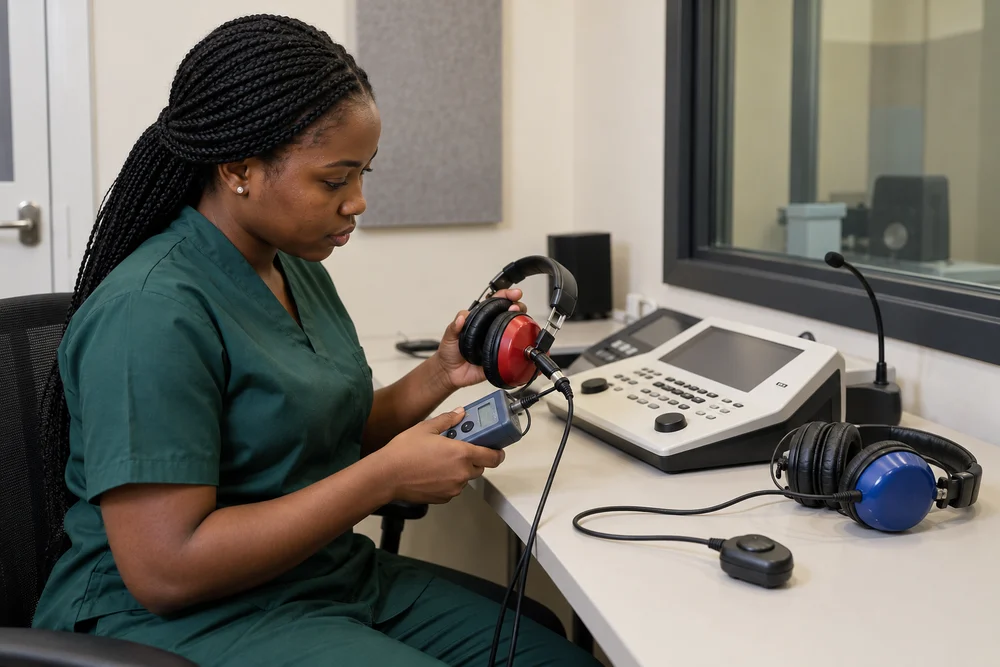
Headsets, probes, response switches and software are separate items that may have model-specific compatibility. MAICO’s accessory information identifies DD45 and DD65 v2 headphones for several audiometers and lists bone-conduction headsets for the MA 28 and touchTymp MI 26/MI 36. Use that official compatibility information to form a precise question, then provide the item labels or part references from your own equipment.
If a device issue appears only with one headset, probe or interface, identify which combination was involved and whether the same accessory works with another unit. Avoid diagnosing the device from a single symptom. For a data-transfer issue, state the PC, software or database involved and whether the concern is connection, export or record organization.
For a parts enquiry, ask the written response to identify the exact part reference and supported model. State whether the quote should cover supply alone or also fitting, testing or software setup. A model-specific line item helps prevent a headset, probe or cable intended for another MAICO product from being assumed suitable.
MAICO fault assessment and equipment records in Nigeria
Describe faults by recording what is visible and when the issue occurs: startup, screen navigation, an accessory connection, printing, a data transfer or a repeatable message. Include the model, serial or asset number, purchase or installation details if available, and a concise chronology. A label photo and relevant service history can support the initial review.
For an MA 25 or MA 28, say whether the issue is with the instrument or a connected headset, switch, power supply or PC. For touchTymp, identify the probe or shoulder box and whether the display, printer or data pathway is involved. List any recent software or accessory changes without speculating about root cause.
Send only equipment details and non-sensitive operational context in the initial enquiry. If a remote technical session or restricted log exchange becomes necessary, agree on a secure method with the facility’s IT contact and the responsible device owner. Franance can review the issue description and request any additional model-specific information needed for its response.
MAICO maintenance and audiology-room planning in Nigeria
For maintenance planning, list model, serial or asset ID, room, user department, installation date if known and existing service history. Identify which instruments need review and the preferred service window. A portable MA 25 or MA 28, a tabletop touchTymp system and their accessories can require different access and scheduling arrangements.
Ask the proposal to itemise the intended inspection, checks, records, accessory assessment, software questions, parts assumptions, downtime and exclusions. MAICO support materials include technical updates, documentation and service resources; align the requested records with the facility’s asset-management process and ask the response to say what it will provide.
For an audiology-room refurbishment, share the equipment layout, power and computer connections documented by the facility, furniture changes and access constraints. Identify whether the project includes new devices, replacement accessories, data-management configuration or relocation. Request a clear assignment of supply, setup, verification, handover and facility tasks.
MAICO configuration and quotation review in Nigeria
A useful quotation separates equipment from accessories and support work. Ask it to name the model, serial or asset, site, parts and accessories, price basis, access, downtime, software scope, records, exclusions and validity. If a warranty or manufacturer service route is relevant, provide the available purchase documentation and ask the proposal to state the specific terms being considered.
For audiometers, compare the MA 25, MA 25e and MA 28 labels and accessory requirements; for touchTymp, identify MI 26 screening or MI 36 diagnostic. A model name alone does not resolve the installed software, headset or probe combination. List what the clinic has and what it wants the quotation to include.
If a proposal covers several clinics, use a separate asset line for each site and instrument. Ask the response to state whether it includes assessment, corrective work, parts supply, software review, relocation or only procurement. Your biomedical engineering, audiology and purchasing contacts can then compare the written scope with local requirements.
Request MAICO equipment service in Nigeria
Use the Franance technical-support form for a service assessment, maintenance proposal, accessory question or replacement quotation. Include model, serial or asset ID, facility city, department, current status and desired result. For multiple instruments, list each device separately and provide a contact who can answer equipment-record questions or coordinate access.
For a fault, describe the observable symptom and relevant accessory or workstation. For procurement, specify the device variant, standard and optional accessories, any software or data connection, and the intended facility.
Franance can review the request and respond with clarifying questions or a proposed written scope. Before approval, check that the response names the correct MAICO model, included work, accessories, parts assumptions, records, exclusions and commercial terms. Use the written response to settle the scope for the exact instrument and site.
For a device handover, request a record that lists the audiometer or tympanometer model, serial or asset ID, accessory set considered, work performed or proposed and any follow-up items. Keep the note in the clinic’s equipment history alongside manuals, purchase documents and earlier service records. If a headset or probe is quoted separately, preserve its model and part reference with the intended host device.
Where several clinics share equipment, ask for a distinct schedule by location and instrument. Identify which devices travel between rooms and which remain installed, and include the appropriate contacts for access and records. A model-by-model response helps audiology leads compare condition, accessory needs and replacement priorities without confusing screening and diagnostic configurations.
If the enquiry involves a data or software issue, identify the computer, software version and transfer path involved, using details the facility can share. Ask the proposal to state whether the technical review addresses the MAICO device, software, PC or the connection between them. This keeps the quotation aligned with the actual ownership boundary and helps IT and audiology staff coordinate any required follow-up.
Common questions about maico audiology equipment services in Nigeria
Which MAICO devices does this page cover?
It covers MA 25 and MA 28 audiometers, plus touchTymp MI 26 screening and MI 36 diagnostic systems. State the exact model in your enquiry.
How do I distinguish MA 25, MA 25e and MA 28?
Copy the model and version from the device label or documentation. MAICO lists different capabilities and options across these models; identify the exact unit and accessory set.
What should I include for touchTymp service?
Provide model and serial, probe or accessory involved, observed symptom, room and any relevant printer, software or PC connection.
Can I ask about headphones or accessories?
Yes. Include the device model and the accessory label or reference. Ask the written response to confirm compatibility and whether fitting is included.
How do I request a quotation?
Use the Franance technical-support form with the device identity, facility city, requested work and callback contact.
Tell us what your facility needs.
Send the equipment details, your requirement and the facility location. We’ll discuss the information needed to review the scope and prepare the next step.
Contact Franance