
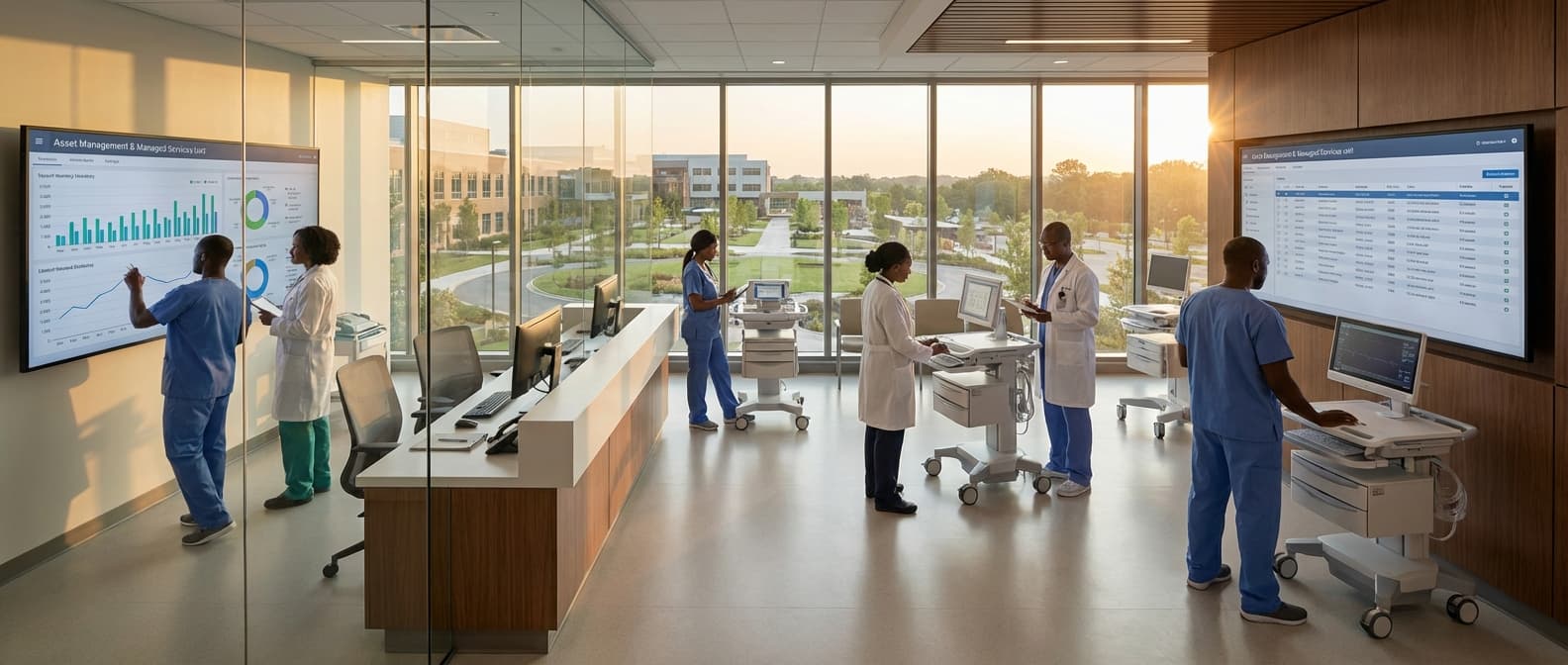
CMMS Setup & Configuration Service in Uganda
Engineering Excellence & Technical Support
CMMS Setup & Configuration Service High-standard technical execution following OEM protocols and local regulatory frameworks.
Asset Lifecycle Optimization
We meticulously configure your CMMS to track every asset from acquisition to disposal, ensuring accurate maintenance history, optimized lifespan, and data-driven decisions for replacement or upgrade in Uganda's unique operational landscape.
Streamlined Preventive Maintenance Workflows
Our experts design and implement automated preventive maintenance schedules tailored to your specific Ugandan operational needs, minimizing unplanned downtime, reducing costs, and maximizing equipment reliability.
Insightful Performance Analytics & Reporting
We configure comprehensive reporting dashboards that provide real-time visibility into key performance indicators (KPIs), maintenance costs, and technician productivity, empowering Ugandan businesses with actionable insights for continuous improvement.
What Is Cmms Setup & Configuration Service In Uganda?
CMMS Setup & Configuration Service in Uganda refers to the comprehensive process of implementing and tailoring a Computerized Maintenance Management System (CMMS) to meet the specific operational requirements of organizations within Uganda. This service encompasses the initial installation, data population, system customization, integration with existing IT infrastructure, and user training. The primary objective is to establish a robust and efficient maintenance management framework that enhances asset reliability, optimizes resource allocation, and reduces operational costs.
| Target Audience | Needs Addressed | Typical Use Cases |
|---|---|---|
| Manufacturing Companies: (e.g., Food & Beverage, Textiles, Automotive) | Optimizing machinery uptime, reducing unplanned downtime, managing spare parts inventory, implementing preventive maintenance schedules, ensuring regulatory compliance. | Automating work order generation for routine inspections and maintenance tasks, tracking equipment history and failure modes, forecasting spare parts requirements, monitoring production line efficiency. |
| Energy & Utilities Sector: (e.g., Power Generation, Water Treatment, Oil & Gas) | Ensuring the reliability of critical infrastructure, managing high-value assets, complying with stringent safety and environmental regulations, optimizing field service operations. | Scheduling and tracking preventive maintenance for turbines, generators, pipelines, and distribution networks; managing safety permits and inspections; monitoring asset condition through IoT sensors; coordinating field technician dispatch. |
| Facilities Management & Real Estate: (e.g., Commercial Buildings, Hospitals, Universities) | Maintaining building systems (HVAC, electrical, plumbing), managing service requests, controlling maintenance budgets, ensuring occupant comfort and safety. | Centralizing maintenance requests from tenants or departments, scheduling routine building system checks, managing contractor work, tracking energy consumption and maintenance costs, ensuring compliance with building codes. |
| Transportation & Logistics: (e.g., Fleet Management, Warehousing) | Maintaining vehicle fleets, optimizing vehicle availability, managing repair and maintenance costs, ensuring safety and compliance. | Scheduling and tracking vehicle inspections and servicing, managing tire and parts inventory, monitoring fuel consumption, optimizing fleet maintenance schedules to minimize operational disruption. |
| Government & Public Sector: (e.g., Municipalities, Public Works) | Managing public infrastructure (roads, bridges, public transport), ensuring service delivery, optimizing public asset utilization, controlling expenditures. | Planning and executing maintenance for public assets, managing work orders for infrastructure repairs, tracking maintenance costs for budgetary purposes, ensuring public safety and service continuity. |
Key Components of CMMS Setup & Configuration Service
- System Installation & Deployment: Installing the CMMS software on the client's chosen infrastructure (on-premise or cloud-based) and ensuring its proper functioning.
- Data Migration & Population: Transferring existing maintenance data (asset registers, spare parts inventory, work order history, vendor information) into the new CMMS and structuring it for optimal usability.
- System Customization: Configuring modules, workflows, user roles, permissions, reporting parameters, and dashboards to align with the organization's unique maintenance strategies and regulatory compliance needs.
- Integration: Establishing seamless data exchange and interoperability with other enterprise systems, such as ERP, SCADA, IoT platforms, and financial software.
- User Training & Support: Providing comprehensive training to all relevant personnel (maintenance technicians, supervisors, managers, administrators) on system operation, data entry, and best practices. Ongoing technical support is also a critical component.
- Process Definition & Optimization: Assisting clients in defining and refining their maintenance processes (preventive, predictive, corrective) and embedding these into the CMMS workflows.
- Reporting & Analytics Setup: Configuring standard and custom reports, dashboards, and analytical tools to provide actionable insights into maintenance performance, asset health, and cost management.
Who Needs Cmms Setup & Configuration Service In Uganda?
Implementing a new Computerized Maintenance Management System (CMMS) is a significant undertaking for any organization. While some may attempt to manage this in-house, engaging professional CMMS setup and configuration services in Uganda offers distinct advantages, especially for businesses seeking to optimize their maintenance operations, extend asset lifespans, and improve overall efficiency. These services are particularly valuable for organizations facing challenges with manual tracking, reactive maintenance, a lack of data visibility, or a desire to transition to a more proactive and preventative maintenance strategy.
| Target Customer Type | Key Departments Involved | Common Challenges Addressed by CMMS Setup & Configuration |
|---|---|---|
| Manufacturing & Industrial Plants | Operations, Maintenance, Engineering, Production, Quality Control, Supply Chain | High equipment failure rates, unscheduled downtime, inefficient spare parts management, lack of predictive maintenance capabilities, traceability issues for compliance. |
| Property & Facility Management | Building Operations, Maintenance, Tenant Services, Administration, Finance | Inconsistent response times to maintenance requests, difficulty tracking asset history, inefficient vendor management, lack of visibility into maintenance costs, challenges with preventative maintenance scheduling for diverse assets (HVAC, elevators, etc.). |
| Healthcare Facilities | Biomedical Engineering, Facilities Management, IT, Clinical Operations, Administration | Ensuring medical equipment reliability and safety, strict regulatory compliance (e.g., for medical devices), managing a vast array of specialized equipment, minimizing downtime of critical systems, tracking certifications and calibrations. |
| Hospitality Sector (Hotels, Resorts) | Engineering, Housekeeping, Front Desk, Operations, IT | Maintaining guest comfort and satisfaction through reliable facilities, managing preventative maintenance for guest rooms and public areas, efficient tracking of repair requests, optimizing energy management systems. |
| Transportation & Logistics | Fleet Management, Maintenance Workshops, Operations, Logistics, Safety & Compliance | Optimizing fleet uptime, managing vehicle maintenance schedules (preventative and corrective), tracking fuel consumption and costs, ensuring compliance with transportation regulations, managing repair history and costs for individual vehicles. |
| Energy & Utilities | Operations, Maintenance, Engineering, Field Services, Safety & Compliance | Ensuring the reliability of critical infrastructure (power plants, water treatment, transmission lines), managing a large and geographically dispersed asset base, scheduling preventative maintenance for complex equipment, ensuring regulatory compliance, managing field service operations. |
| Public Sector & Government Agencies | Public Works, Facilities Management, Maintenance Departments, IT, Administration | Managing and maintaining public infrastructure (roads, bridges, public buildings), ensuring cost-effective resource allocation for maintenance, tracking asset lifecycles, compliance with public procurement and financial regulations. |
Who Needs CMMS Setup & Configuration Service in Uganda?
- Organizations seeking to transition from manual or spreadsheet-based maintenance tracking to a digital, integrated system.
- Businesses experiencing inefficiencies due to reactive maintenance, leading to unexpected breakdowns and costly downtime.
- Companies with a growing asset base and complex maintenance needs that are becoming unmanageable with current systems.
- Facilities or operations requiring stringent compliance with industry regulations and a need for robust record-keeping and auditing capabilities.
- Organizations aiming to improve inventory management for spare parts, reduce stockouts, and minimize excess inventory costs.
- Businesses looking to enhance technician productivity, streamline work order management, and improve communication within the maintenance team.
- Companies that have invested in a CMMS software but lack the internal expertise or time to configure it effectively for their specific operational requirements.
- Manufacturers and production facilities striving to maximize uptime, reduce production losses, and optimize equipment performance.
- Real estate and property management firms needing to efficiently manage maintenance requests, track property assets, and ensure tenant satisfaction.
- Utilities and infrastructure companies responsible for maintaining critical public assets and ensuring uninterrupted service delivery.
Cmms Setup & Configuration Service Process In Uganda
This document outlines the standard workflow for CMMS (Computerized Maintenance Management System) setup and configuration services provided in Uganda. The process is designed to be systematic, ensuring a smooth transition from initial inquiry to successful implementation, tailored to the specific needs of Ugandan businesses.
| Stage | Description | Key Activities | Deliverables | Timeframe (Typical) |
|---|---|---|---|---|
| The client expresses interest in CMMS services. The focus is on understanding their general needs and providing preliminary information. | Initial contact, overview of CMMS benefits, discussion of potential solutions. | Understanding of client's basic requirements. | 1-3 Business Days |
| A detailed understanding of the client's maintenance operations, challenges, and specific CMMS requirements is established. | On-site or remote meetings, interviews with stakeholders, site visits (if applicable), documentation review. | Detailed Requirements Document, Functional Specifications. | 3-7 Business Days |
| Based on the gathered requirements, a tailored proposal outlining the scope of work, recommended CMMS solution, implementation plan, and costs is presented. | Development of a customized proposal, cost estimation, outlining service levels. | Formal Proposal with Scope of Work, Implementation Plan, and Pricing. | 2-5 Business Days |
| Formalization of the service agreement, outlining terms, conditions, responsibilities, and payment schedules. | Review and signing of the Service Level Agreement (SLA) or contract. | Signed Contract/SLA. | 1-3 Business Days |
| The chosen CMMS software is installed and configured on the client's infrastructure (on-premise) or cloud environment. | Software installation, server setup (if applicable), user account creation. | Functional CMMS environment ready for configuration. | 2-5 Business Days |
| The CMMS is tailored to the client's specific workflows, asset hierarchies, preventive maintenance schedules, parts inventory, and reporting needs. | Defining asset structures, creating PM schedules, configuring workflows, setting up user roles and permissions, customizing dashboards and reports. | Configured CMMS system aligned with client's operational needs. | 7-21 Business Days (depending on complexity) |
| Transferring existing maintenance data (assets, work orders, parts, history) into the new CMMS. | Data extraction from legacy systems, data cleansing and formatting, data import into CMMS. | Migrated and validated data within the CMMS. | 3-10 Business Days (depending on data volume and complexity) |
| Comprehensive training sessions for end-users and administrators on how to effectively use the CMMS. | Development of training materials, conducting on-site or remote training sessions, hands-on exercises. | Trained users proficient in CMMS operation. | 2-5 Business Days |
| Thorough testing of the configured system to ensure functionality, data integrity, and adherence to requirements. | User Acceptance Testing (UAT), system performance testing, bug fixing. | Test reports, sign-off on UAT. | 3-7 Business Days |
| The CMMS is officially launched and made available for operational use by the client. | Final system checks, user communication, launch of the system. | Live CMMS system in production. | 1 Business Day |
| Ongoing support to address any immediate issues, provide further guidance, and officially hand over the system to the client's internal team. | Troubleshooting, addressing user queries, performance monitoring, providing system documentation, knowledge transfer to client's IT/maintenance team. | Stable CMMS operation, comprehensive documentation, client's team equipped to manage the system. | Ongoing (initial period often 30-90 days of dedicated support) |
CMMS Setup & Configuration Service Process
- Inquiry & Initial Consultation
- Needs Assessment & Requirements Gathering
- Proposal & Quotation
- Contract Agreement
- System Setup & Installation
- Configuration & Customization
- Data Migration
- User Training
- Testing & Quality Assurance
- Go-Live & Deployment
- Post-Implementation Support & Handover
Cmms Setup & Configuration Service Cost In Uganda
Setting up and configuring a Computerized Maintenance Management System (CMMS) in Uganda involves various costs influenced by several key factors. These include the complexity of the chosen CMMS software, the number of users, the extent of customization required, the level of data migration and integration needed, and the training and support services provided. Understanding these elements is crucial for budgeting effectively. The overall price can fluctuate significantly based on the specific vendor and the bundled services they offer. For a small to medium-sized business with basic needs, a simpler, cloud-based solution might be more cost-effective. Larger enterprises with complex asset management and integration requirements will naturally incur higher expenses.
| Service Component | Estimated Cost Range (UGX) | Notes |
|---|---|---|
| Basic CMMS Software Setup (Cloud-based, few users) | 1,500,000 - 5,000,000 | Includes initial configuration, basic user setup, and standard features. |
| Mid-Range CMMS Setup (Cloud-based, moderate users, some customization) | 5,000,000 - 15,000,000 | May include more extensive configuration, data import, and basic integrations. |
| Advanced CMMS Setup (On-premise or complex cloud, many users, significant customization/integration) | 15,000,000 - 50,000,000+ | This can involve custom module development, complex data migration, and multiple system integrations. Costs are highly variable. |
| Data Migration (per hour/project) | 100,000 - 300,000 per hour / 1,000,000 - 10,000,000+ per project | Depends on data volume, complexity, and the need for data cleansing. |
| Customization/Development (per hour) | 150,000 - 400,000 | For bespoke features or significant modifications. |
| User Training (per day/session) | 300,000 - 1,000,000 | Varies based on the trainer's expertise and the duration of the training. |
| Ongoing Support & Maintenance (annual subscription) | 500,000 - 5,000,000+ (often 15-25% of software cost) | Essential for keeping the system running smoothly and up-to-date. |
Key Factors Influencing CMMS Setup & Configuration Costs in Uganda
- CMMS Software Licensing: This is often the largest component. Costs vary based on whether it's a perpetual license or a subscription-based model (SaaS). Features and modules included also impact pricing.
- Implementation & Configuration Fees: This covers the vendor's services for installing, setting up, and customizing the software to your specific operational needs. This includes defining workflows, asset hierarchies, preventive maintenance schedules, and user roles.
- Data Migration: If you have existing maintenance data (spreadsheets, legacy systems), the effort and complexity of migrating this data into the new CMMS will add to the cost.
- Customization & Development: If the standard CMMS functionality doesn't meet all your unique requirements, custom development or advanced configuration will be necessary, leading to higher costs.
- Integration with Other Systems: Connecting the CMMS with existing ERP, accounting, or IoT platforms will involve integration fees, which can be substantial depending on the complexity.
- User Training: Comprehensive training for administrators and end-users is essential for successful adoption. This cost depends on the duration, depth, and number of training sessions.
- Ongoing Support & Maintenance: While not strictly setup cost, ongoing support contracts are often bundled or recommended. These cover technical assistance, software updates, and bug fixes.
- Hardware Requirements (if applicable): While most modern CMMS are cloud-based, some on-premise solutions might require server infrastructure or specific hardware, though this is becoming less common.
- Vendor Expertise & Reputation: More experienced and reputable vendors may charge higher fees due to their proven track record and quality of service.
Affordable Cmms Setup & Configuration Service Options
Are you looking to implement a Computerized Maintenance Management System (CMMS) but are concerned about the cost and complexity? Our affordable CMMS setup and configuration services are designed to make this essential transition smooth and budget-friendly. We offer flexible value bundles and proven cost-saving strategies to ensure you get the most out of your CMMS investment without breaking the bank.
| Value Bundle Tier | Description | Key Features | Estimated Price Range (One-Time Setup) | Cost-Saving Strategy Highlight |
|---|---|---|---|---|
| Essential Essentials | For organizations needing basic CMMS functionality to track assets and manage work orders. | Core asset & work order setup, basic PM scheduling, user accounts (up to 5). | $800 - $1,500 | Focuses on core needs, minimizing scope creep and unnecessary features. |
| Pro Performance | Ideal for growing businesses requiring more robust PM, inventory tracking, and basic reporting. | Includes Essential Essentials + Inventory module setup, advanced PM, standard reports, user accounts (up to 15). | $1,500 - $3,000 | Bundles common modules for a discount compared to à la carte pricing. Streamlined inventory setup reduces manual data entry. |
| Enterprise Excellence | Comprehensive setup for larger organizations with complex PM schedules, multiple sites, and detailed reporting needs. | Includes Pro Performance + Multi-site configuration, advanced reporting, user accounts (up to 30), basic data migration assistance. | $3,000 - $6,000+ | Phased implementation and data migration planning to reduce upfront risk and cost. Prioritizes critical reports to demonstrate ROI quickly. |
| À La Carte Options | For highly specific needs or add-ons outside of standard bundles. | Additional module configuration, custom report development, advanced data migration, on-site training. | Priced per module/hour | Only pay for what you specifically need, avoiding overspending on unused features. |
Our Affordable CMMS Setup & Configuration Services Include:
- Needs Assessment & Requirements Gathering
- CMMS Software Selection Guidance (if needed)
- System Installation & Deployment
- Core Module Configuration (Assets, Work Orders, Preventive Maintenance, Inventory)
- User Training & Support
- Data Migration Assistance (basic)
- Reporting & Dashboard Setup
Verified Providers In Uganda
In Uganda's burgeoning healthcare landscape, the assurance of receiving care from verified and credentialed providers is paramount. Franance Health stands out as a beacon of trust and quality, meticulously vetting its network of healthcare professionals and facilities. This dedication to credentialing ensures that patients receive safe, effective, and ethical medical services. Understanding why Franance Health's verified providers represent the best choice involves looking at their rigorous selection process and the benefits it offers to individuals seeking healthcare in Uganda.
| Credentialing Aspect | Franance Health's Approach | Patient Benefit |
|---|---|---|
| Licensing & Certification | Thorough verification of all relevant medical licenses and board certifications. | Ensures providers meet legal and professional requirements. |
| Educational Background | Scrutiny of medical school and postgraduate training qualifications. | Confirms foundational knowledge and specialized training. |
| Clinical Experience | Assessment of past performance, practice history, and patient outcomes. | Indicates practical skill and a track record of effective care. |
| Professional Ethics | Evaluation of adherence to ethical guidelines and professional conduct. | Guarantees patient rights are respected and care is delivered with integrity. |
| Continuing Medical Education (CME) | Confirmation of ongoing professional development and skill enhancement. | Ensures providers stay updated with the latest medical advancements and techniques. |
| Facility Standards (for clinics/hospitals) | Inspection of infrastructure, equipment, and hygiene protocols. | Promotes a safe and well-equipped environment for treatment. |
Why Franance Health's Verified Providers Are the Best Choice:
- Unwavering Commitment to Quality: Franance Health implements a stringent verification process that goes beyond basic licensing. They assess qualifications, experience, specializations, and adherence to ethical standards, ensuring that every provider meets a high bar of excellence.
- Enhanced Patient Safety: By partnering with credentialed professionals, Franance Health significantly reduces the risk of medical errors and malpractice. Patients can have greater confidence in the competence and reliability of the care they receive.
- Access to Specialized Expertise: The verification process helps identify and highlight providers with specific expertise. This allows patients to find the right specialist for their unique health needs, leading to more accurate diagnoses and effective treatment plans.
- Transparency and Trust: Franance Health's commitment to transparency builds trust between patients and providers. Knowing that a provider has been thoroughly vetted offers peace of mind and fosters a more positive healthcare experience.
- Streamlined Healthcare Navigation: Navigating the healthcare system can be daunting. Franance Health simplifies this process by providing a curated list of verified providers, saving patients time and effort in their search for quality care.
- Promoting Best Practices: By setting a high standard for its network, Franance Health encourages the adoption of best medical practices across Uganda, contributing to an overall improvement in the quality of healthcare services available.
Scope Of Work For Cmms Setup & Configuration Service
This Scope of Work (SOW) outlines the services to be provided by the Vendor for the successful setup and configuration of a Computerized Maintenance Management System (CMMS) for the Client. The objective is to implement a robust CMMS solution that enhances maintenance operations, optimizes asset management, and improves overall facility efficiency. This document details the technical deliverables and standard specifications to ensure a successful project execution.
| Phase | Activities | Deliverables | Technical Specifications/Standards |
|---|---|---|---|
| Kick-off meeting, requirements gathering, project plan development, stakeholder identification. | Project Charter, Detailed Project Plan, Stakeholder Register. | Agile or Waterfall methodology as agreed upon. Standard project management tools (e.g., Jira, Asana) may be used for tracking. |
| Installation of CMMS software (cloud-based or on-premise), user account creation, role-based access configuration. | Installed CMMS Instance, User Accounts, Role Definitions. | Secure cloud hosting environment or on-premise server meeting Client's IT security policies. Latest stable version of the CMMS software unless specified otherwise. Compliance with GDPR/CCPA for data privacy. |
| Asset registry setup (hierarchical structure, asset details), work order management (types, priorities, workflows), preventive maintenance (PM) program configuration (frequencies, tasks). | Configured Asset Hierarchy, Defined Work Order Types & Workflows, Established PM Schedules. | Standardized naming conventions for assets. Configurable PM triggers based on time, usage, or condition. Automated PM task generation. |
| Setup of parts catalog, inventory locations, stock levels, reorder points, and vendor management. | Populated Parts Catalog, Defined Inventory Locations, Configured Stock Management Rules. | Integration with purchasing modules if available. Barcode scanning compatibility for inventory tracking. Min/Max stock level alerts. |
| Configuration of standard reports (e.g., work order completion rates, PM compliance, inventory value) and creation of custom reports. | Standard Report Templates, Defined Custom Reports, User Training on Reporting Features. | Exportable report formats (PDF, CSV, Excel). Real-time dashboard capabilities. KPI definition and tracking alignment. |
| Extraction, transformation, and loading (ETL) of existing asset, work order, and inventory data into the new CMMS. | Migrated Data in CMMS, Data Validation Report. | Data cleansing and validation processes. Defined data mapping strategy. Data integrity checks post-migration. |
| Connecting CMMS with other Client systems (e.g., ERP, IoT platforms) via APIs or middleware. | Successful API Integrations, Integration Documentation. | RESTful API standards. Secure data exchange protocols. Thorough testing of integrated workflows. |
| Training sessions for administrators and end-users, development of user manuals, administrator guides, and troubleshooting documentation. | Trained Personnel, User Manuals, Administrator Guides, FAQ/Troubleshooting Document. | Role-specific training modules. Documentation in clear, concise language. Accessible digital formats (e.g., PDF, online knowledge base). |
| Internal testing by the Vendor, followed by UAT by Client stakeholders to ensure all requirements are met. | Test Cases, Test Results, UAT Sign-off. | Comprehensive test plan covering all CMMS functionalities. Defined UAT criteria and sign-off process. |
| Deployment of the configured CMMS, initial support, and handover to Client's internal support team. | Live CMMS System, Post-Implementation Support Plan, Project Closure Report. | Defined Service Level Agreement (SLA) for post-go-live support. Knowledge transfer to Client's IT/maintenance team. |
Project Objectives
- Implement a fully functional CMMS tailored to the Client's specific needs.
- Configure the CMMS to manage assets, work orders, preventive maintenance schedules, inventory, and reporting.
- Train key Client personnel on CMMS administration and daily usage.
- Ensure seamless integration with existing Client systems where applicable.
- Provide comprehensive documentation for CMMS setup and ongoing operations.
Service Level Agreement For Cmms Setup & Configuration Service
This Service Level Agreement (SLA) outlines the guaranteed response times and uptime for the Computerized Maintenance Management System (CMMS) Setup & Configuration Service provided by [Your Company Name] to [Client Company Name]. This SLA is an integral part of the Master Service Agreement between the parties.
| Issue Priority | Response Time Guarantee | Resolution Time Target (Best Effort) |
|---|---|---|
| Critical Issue | 1 Business Hour | 4 Business Hours |
| High Priority Issue | 2 Business Hours | 8 Business Hours |
| Medium Priority Issue | 4 Business Hours | 2 Business Days |
| Low Priority Issue | 8 Business Hours | 5 Business Days |
Definitions
- {"term":"CMMS","definition":"Computerized Maintenance Management System, a software system designed to manage maintenance activities."}
- {"term":"Setup & Configuration Service","definition":"The service encompassing the initial installation, customization, and configuration of the CMMS software to meet the client's specific operational needs."}
- {"term":"Service Hours","definition":"The hours during which the CMMS Setup & Configuration Service is available and supported. Typically, [Specify your service hours, e.g., Monday to Friday, 9:00 AM to 5:00 PM Local Time]."}
- {"term":"Downtime","definition":"The period during which the CMMS Setup & Configuration Service is unavailable to the client, excluding scheduled maintenance."}
- {"term":"Scheduled Maintenance","definition":"Pre-announced periods when the CMMS Setup & Configuration Service may be temporarily unavailable for system updates, upgrades, or maintenance. Clients will be notified at least [Number] days in advance."}
- {"term":"Response Time","definition":"The maximum time it takes for [Your Company Name] to acknowledge a reported issue or request and begin active work on resolution or fulfillment, measured from the time the client submits the request through the agreed-upon support channel."}
- {"term":"Resolution Time","definition":"The maximum time it takes for [Your Company Name] to resolve an issue or fulfill a request. Resolution is defined as the point at which the CMMS Setup & Configuration Service is restored to its intended functionality or the request is completed."}
- {"term":"Critical Issue","definition":"An issue that renders the primary CMMS functionalities unusable, significantly impacting the client's ability to perform essential maintenance operations. Examples include inability to log work orders, asset tracking failures, or critical system crashes."}
- {"term":"High Priority Issue","definition":"An issue that severely degrades CMMS performance or impacts a significant subset of functionalities, but does not completely halt essential operations. Examples include slow system response, inability to generate specific reports, or partial module failures."}
- {"term":"Medium Priority Issue","definition":"An issue that affects non-critical functionalities or has a minor impact on performance. Examples include minor UI glitches, incorrect data display in non-essential areas, or feature requests that do not impede core operations."}
- {"term":"Low Priority Issue","definition":"A minor issue with minimal impact, such as a cosmetic bug or a general inquiry about functionality not critical to operations."}
Frequently Asked Questions

Ready when you are
Let's scope your CMMS Setup & Configuration Service in Uganda project in Uganda.

Scaling healthcare logistics and technical systems across the entire continent.