
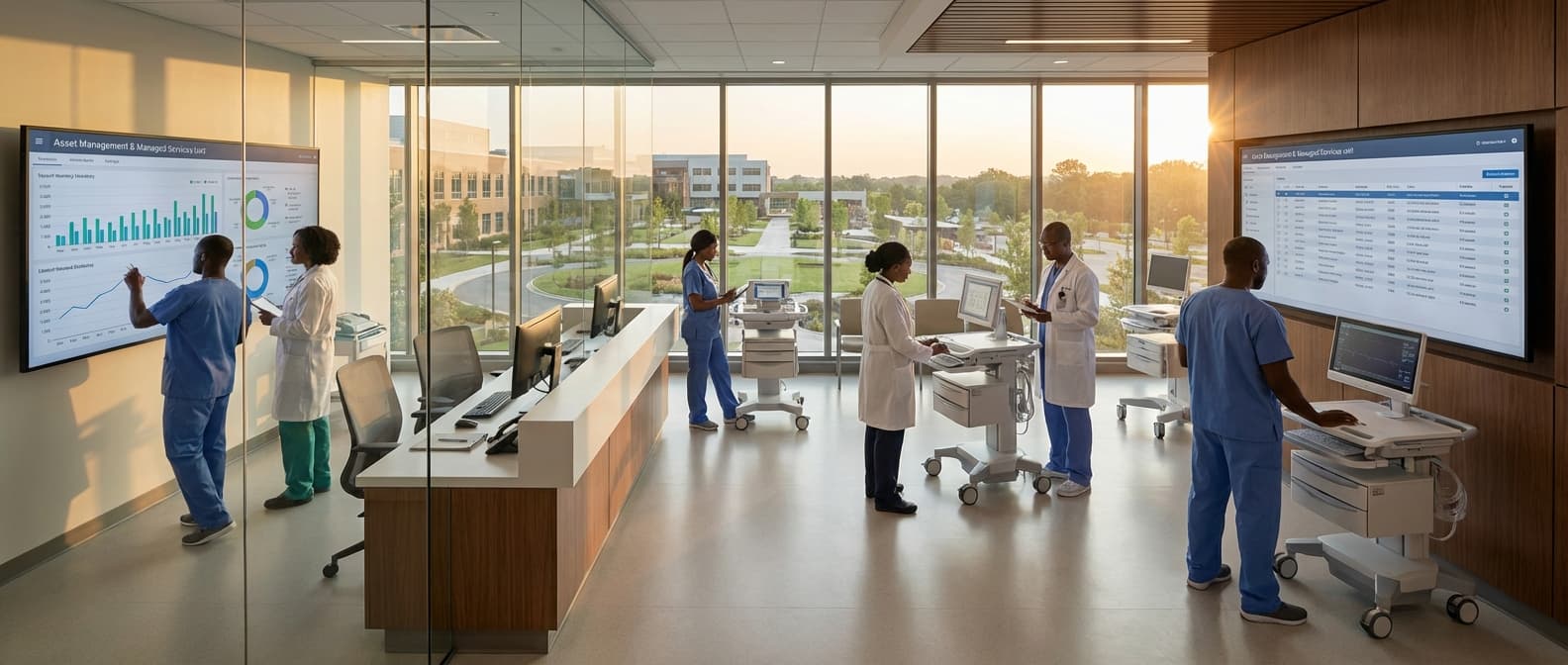
CMMS Setup & Configuration Service in Mozambique
Engineering Excellence & Technical Support
CMMS Setup & Configuration Service High-standard technical execution following OEM protocols and local regulatory frameworks.
Tailored CMMS Deployment for Mozambican Industries
We specialize in implementing Computerized Maintenance Management Systems (CMMS) precisely configured to meet the unique operational demands and regulatory landscape of Mozambican businesses. Our service ensures optimal asset tracking, preventive maintenance scheduling, and work order management for sectors like mining, agriculture, and energy.
Seamless Cloud-Based CMMS Integration & Training
Leveraging secure cloud technology, we deploy robust CMMS solutions accessible from anywhere in Mozambique. Our expert team handles full system setup, data migration, and comprehensive user training, empowering your Mozambican workforce to maximize the benefits of advanced maintenance management.
Custom CMMS Modules for Localized Maintenance Needs
Beyond standard configurations, we develop and integrate custom CMMS modules addressing specific Mozambican maintenance challenges, such as localized spare parts inventory, seasonal maintenance planning for agricultural cycles, and compliance with regional safety standards, ensuring operational efficiency and cost savings.
What Is Cmms Setup & Configuration Service In Mozambique?
CMMS (Computerized Maintenance Management System) Setup & Configuration Service in Mozambique refers to the specialized professional services provided to organizations in Mozambique for the implementation, customization, and optimization of their CMMS software. This service encompasses the entire lifecycle of CMMS deployment, from initial planning and data migration to user training and ongoing support. The objective is to ensure the CMMS is effectively aligned with the organization's maintenance objectives, operational workflows, and regulatory requirements, thereby enhancing maintenance efficiency, asset reliability, and cost control. This involves translating business needs into system functionalities, defining maintenance strategies within the software, and establishing robust data governance for maintenance operations.
| Who Needs It? | Typical Use Cases | ||||||||
|---|---|---|---|---|---|---|---|---|---|
| Industrial Manufacturing Plants: Requiring robust management of complex machinery, production lines, and preventive maintenance schedules to minimize downtime and optimize throughput. | Mining Operations: Needing to track and maintain a large fleet of heavy equipment, fixed plant machinery, and ensure operational continuity in remote or challenging environments. | Energy & Utilities Sector (Power Generation, Water Treatment): Demanding reliable asset performance and proactive maintenance for critical infrastructure to ensure continuous service delivery and regulatory compliance. | Logistics & Transportation Companies: Managing fleets of vehicles, warehouse equipment, and ensuring timely maintenance to optimize operational efficiency and safety. | Facility Management Organizations: Overseeing maintenance of buildings, HVAC systems, electrical infrastructure, and other facilities to ensure occupant comfort, safety, and operational readiness. | Oil & Gas Exploration and Production: Requiring rigorous maintenance of offshore platforms, refineries, pipelines, and associated equipment to ensure safety, environmental protection, and production efficiency. | Agribusiness & Food Processing: Managing agricultural machinery, processing plants, and cold chain logistics to maintain product quality, efficiency, and compliance with food safety regulations. | |||
| Implementing a new CMMS for the first time. | Migrating from an outdated or disparate maintenance system. | Upgrading to a more advanced CMMS solution. | Standardizing maintenance processes across multiple sites or divisions. | Improving preventive maintenance effectiveness and reducing unplanned breakdowns. | Optimizing spare parts inventory levels and reducing carrying costs. | Enhancing regulatory compliance and audit readiness. | Gaining better visibility into maintenance costs and performance metrics. | Training new maintenance personnel on system usage. | Integrating CMMS with other business systems for a unified operational view. |
Key Components of CMMS Setup & Configuration Service:
- System Installation & Deployment: Installing the CMMS software on-premise or configuring access to cloud-based solutions.
- Data Migration & Integration: Transferring existing maintenance data (assets, work orders, parts inventory, etc.) from legacy systems or spreadsheets into the new CMMS, and integrating with other enterprise systems (e.g., ERP, SCADA).
- Customization & Workflow Definition: Tailoring system parameters, fields, forms, and workflows to match specific organizational processes, such as preventive maintenance scheduling, corrective maintenance procedures, and approval hierarchies.
- Asset Hierarchy & Tagging: Establishing a structured asset registry with appropriate categorization, sub-categorization, and unique identification (e.g., barcode or QR code tagging) for effective tracking and management.
- Preventive Maintenance (PM) Program Development: Configuring PM schedules, task lists, and required resources (labor, parts, tools) based on asset criticality, manufacturer recommendations, and operational experience.
- Spare Parts Inventory Management: Setting up and configuring the spare parts module, including item masters, reorder points, lead times, and cost tracking.
- User Role & Permission Management: Defining user roles and assigning appropriate access levels and permissions to ensure data security and operational integrity.
- Reporting & Dashboard Configuration: Designing and configuring standard and custom reports and dashboards to provide insights into key performance indicators (KPIs) related to maintenance operations.
- User Training & Support: Providing comprehensive training to end-users and administrators on system functionalities, best practices, and ongoing support during the initial adoption phase.
- Go-Live Support & Post-Implementation Review: Offering on-site or remote assistance during the system go-live and conducting post-implementation reviews to identify areas for further optimization.
Who Needs Cmms Setup & Configuration Service In Mozambique?
Setting up and configuring a Computerized Maintenance Management System (CMMS) is crucial for organizations in Mozambique looking to optimize their maintenance operations, reduce downtime, extend asset lifespan, and improve overall efficiency. This service is particularly valuable for businesses facing challenges with manual maintenance tracking, inconsistent preventive maintenance schedules, inefficient work order management, and a lack of data-driven decision-making.
| Target Customer Type | Industry Examples in Mozambique | Key Departments Benefiting |
|---|---|---|
| Manufacturing Plants | Food & Beverage, Textiles, Automotive Assembly, Mining Equipment Repair | Maintenance, Operations, Production, Engineering, Stores/Inventory |
| Mining Operations | Coal, Graphite, Gemstones, Heavy Machinery Maintenance | Mine Maintenance, Fleet Management, Equipment Engineering, Asset Management |
| Energy & Utilities | Power Generation (Hydro, Thermal), Water Treatment Plants, Distribution Networks | Operations & Maintenance, Asset Integrity, Electrical Engineering, Mechanical Engineering |
| Oil & Gas Exploration & Production | Onshore & Offshore Operations (where applicable), Processing Facilities | Maintenance & Reliability, Operations, Project Engineering, HSE (Health, Safety, Environment) |
| Agriculture & Agribusiness | Large-scale Farms, Food Processing Plants, Irrigation Systems | Farm Operations, Equipment Maintenance, Processing Line Management, Logistics |
| Transportation & Logistics | Fleet Management (trucking, aviation ground support), Port Operations | Fleet Maintenance, Workshop Management, Operations, Asset Management |
| Hospitality & Tourism | Large Hotels, Resorts, Conference Centers with extensive facilities | Facilities Management, Engineering, Housekeeping (for equipment tracking), Operations |
| Real Estate & Property Management | Commercial Buildings, Industrial Parks, Residential Complexes | Facilities Management, Building Operations, Maintenance Teams, Procurement |
| Public Sector & Government Institutions | Hospitals, Universities, Municipal Infrastructure (water, waste management) | Facilities Management, Engineering Departments, Public Works, IT Infrastructure Management |
Target Customers and Departments in Mozambique Requiring CMMS Setup & Configuration Services
- Industries with significant physical assets and critical infrastructure.
- Organizations seeking to modernize their maintenance processes.
- Companies aiming to comply with industry regulations and safety standards.
- Businesses experiencing high maintenance costs and frequent unexpected breakdowns.
- Entities looking to improve inventory management for spare parts.
- Facilities management departments responsible for diverse building systems.
- Operations managers focused on maximizing equipment uptime and productivity.
Cmms Setup & Configuration Service Process In Mozambique
This document outlines the workflow for CMMS (Computerized Maintenance Management System) Setup & Configuration services provided in Mozambique. The process begins with an initial inquiry and progresses through a structured series of steps culminating in the successful deployment and customization of the CMMS to meet the specific needs of the client in Mozambique.
| Phase | Stage | Description | Key Activities | Deliverables | Responsible Parties |
|---|---|---|---|---|---|
| Pre-Implementation | Inquiry & Initial Consultation | Understanding the client's immediate need for a CMMS and their current maintenance challenges in Mozambique. | Initial contact, brief discussion of requirements, identification of potential CMMS solutions. | Interest confirmation, preliminary understanding of client needs. | Client, Service Provider Sales Team |
| Pre-Implementation | Needs Assessment & Scope Definition | Deep dive into the client's operational environment, maintenance processes, asset inventory, and specific goals for the CMMS in the Mozambican context. | Site visits (if applicable), interviews with key personnel, asset inventory review, requirement documentation, defining project scope and objectives. | Detailed Needs Assessment Report, Scope of Work document. | Service Provider Consultants, Client Stakeholders |
| Pre-Implementation | Proposal & Agreement | Presenting a tailored solution, outlining the project plan, timeline, costs, and terms of service based on the defined scope. | Developing a detailed proposal, presenting it to the client, negotiating terms, contract signing. | Formal Proposal, Signed Service Agreement. | Service Provider Sales Team, Client Management |
| Implementation | Data Collection & Preparation | Gathering all necessary data for CMMS population, including asset details, maintenance history, spare parts inventory, vendor information, and user roles. | Collecting asset lists, creating asset hierarchies, documenting maintenance procedures, organizing historical data, identifying user profiles. | Cleaned and formatted data for import, user role definitions. | Client's Maintenance Team, Service Provider Data Specialists |
| Implementation | System Installation & Basic Configuration | Setting up the CMMS software on the client's infrastructure (on-premise or cloud) and configuring fundamental settings. | Software installation, database setup, user account creation, defining basic system parameters (e.g., units of measure, currency, date formats). | Installed and accessible CMMS, initial user accounts. | Service Provider Technical Team |
| Implementation | Customization & Workflow Mapping | Tailoring the CMMS to align with the client's specific maintenance workflows, reporting requirements, and business processes prevalent in Mozambique. | Configuring work order types, preventive maintenance schedules, spare parts management, inventory levels, custom fields, reports, and dashboards. | Configured CMMS modules, mapped workflows, custom reports. | Service Provider CMMS Consultants, Client's Maintenance Planners/Supervisors |
| Implementation | User Training | Educating end-users and administrators on how to effectively use the configured CMMS. | Developing training materials, conducting training sessions (on-site or remote), providing hands-on practice. | Trained users, training documentation, user manuals. | Service Provider Trainers, Client's End-Users |
| Post-Implementation | Testing & Quality Assurance | Validating the configured CMMS against the defined requirements and ensuring it functions as expected. | User Acceptance Testing (UAT), performance testing, bug fixing, system validation. | Test reports, resolved issues, sign-off on system functionality. | Client's Key Users, Service Provider QA Team |
| Post-Implementation | Deployment & Go-Live | Launching the CMMS into production and transitioning from the old system or manual processes. | Final data migration, system go-live, initial user support. | Live CMMS system, operational users. | Service Provider Technical Team, Client's IT and Maintenance Teams |
| Post-Implementation | Post-Deployment Support & Optimization | Providing ongoing assistance, troubleshooting, and identifying opportunities for further CMMS improvement and optimization. | Helpdesk support, performance monitoring, identifying areas for improvement, further training, system updates. | Resolved support tickets, optimization recommendations, ongoing system performance. | Service Provider Support Team, Client's CMMS Administrator |
CMMS Setup & Configuration Service Process Workflow
- Inquiry & Initial Consultation
- Needs Assessment & Scope Definition
- Proposal & Agreement
- Data Collection & Preparation
- System Installation & Basic Configuration
- Customization & Workflow Mapping
- User Training
- Testing & Quality Assurance
- Deployment & Go-Live
- Post-Deployment Support & Optimization
Cmms Setup & Configuration Service Cost In Mozambique
Setting up and configuring a Computerized Maintenance Management System (CMMS) in Mozambique involves several factors that influence the overall cost. These costs are typically quoted in local currency (Mozambican Metical - MZN). The complexity of your existing maintenance processes, the size and scope of your operations, the chosen CMMS software, the level of customization required, and the vendor's expertise all play a significant role in determining the final price.
| Service Component | Estimated Price Range (MZN) |
|---|---|
| Basic CMMS Setup & Configuration (Small Business, Standard Features) | 100,000 - 300,000 MZN |
| Standard CMMS Setup & Configuration (Medium Business, Moderate Customization) | 300,000 - 800,000 MZN |
| Advanced CMMS Setup & Configuration (Large Enterprise, Extensive Customization & Integration) | 800,000 - 2,000,000+ MZN |
| Data Migration (per asset record/data point) | 10 - 50 MZN |
| Customization (per hour) | 1,500 - 4,000 MZN |
| User Training (per user/per day) | 500 - 2,000 MZN |
| Annual Software Licensing (Cloud-based, per user/per year) | 5,000 - 25,000 MZN |
| Annual Support & Maintenance (typically % of initial setup cost) | 10% - 20% of initial setup cost |
Key Pricing Factors for CMMS Setup & Configuration in Mozambique
- CMMS Software Licensing: The type of CMMS (on-premise vs. cloud-based) and the number of users or modules will directly impact licensing fees. Some vendors offer tiered pricing based on features.
- Implementation & Configuration Services: This is often the most significant cost. It includes tasks like data migration, workflow setup, user training, report generation, and integration with other systems.
- Customization: If the standard CMMS functionality doesn't meet your specific needs, custom development or configuration will add to the cost. This could involve unique reporting, specialized workflows, or integration with legacy systems.
- Data Migration: The effort required to extract, clean, and import your existing asset, inventory, and maintenance history data into the new CMMS.
- User Training: The number of users requiring training and the depth of that training (basic vs. advanced) will affect the cost.
- Integration with Other Systems: Connecting the CMMS with existing ERP, SCADA, or other operational software can incur additional development and testing costs.
- Vendor Support & Maintenance: Ongoing support, software updates, and technical assistance are usually priced annually or as part of a service contract.
- Project Management: The complexity of the project and the need for dedicated project management resources will factor into the overall expense.
- Geographic Location & Vendor: While less of a direct factor, the vendor's location within Mozambique or if they are an international vendor with a local presence can sometimes influence travel or logistical costs.
Affordable Cmms Setup & Configuration Service Options
Our affordable CMMS setup and configuration service is designed to help businesses of all sizes implement and optimize their Computerized Maintenance Management System without breaking the bank. We understand that CMMS can be a significant investment, and our goal is to provide cost-effective solutions that deliver maximum value. We offer flexible service packages, value bundles, and employ strategic cost-saving measures to ensure you get a robust and tailored CMMS experience. Whether you're looking for basic setup or advanced customization, we have options to fit your budget and needs, empowering you to streamline maintenance operations, reduce downtime, and improve overall efficiency.
| Service Bundle | Ideal For | Includes | Cost-Saving Strategy | Starting Price |
|---|---|---|---|---|
| Starter Package | Small businesses, new CMMS users | Basic CMMS setup, core module configuration (Assets, Work Orders, PMs), user access setup, initial data import (limited assets) | Focus on essential functionality, rapid deployment, self-service documentation. | $X,XXX |
| Standard Bundle | Growing businesses, moderate complexity | Starter Package features + Advanced asset hierarchy, custom work order fields, basic reporting setup, user role configuration, training session (2 users) | Streamlined configuration based on best practices, bundled training discounts, efficient data migration. | $Y,XXX |
| Pro Value Pack | Mid-sized businesses, diverse assets & workflows | Standard Bundle features + Inventory management setup, spare parts integration, advanced PM scheduling, custom dashboards, report generation, comprehensive user training (up to 5 users) | Integrated modules to avoid duplicate efforts, comprehensive training reduces support needs, optimized for efficiency. | $Z,XXX |
| Custom Solutions | Large enterprises, unique requirements | Bespoke configuration, custom module development, API integrations, advanced analytics, dedicated project manager, tailored training programs | Phased implementation to manage costs, modular approach, focus on ROI for specific business challenges. | Quote-Based |
Key Features & Benefits of Our Affordable CMMS Service
- Tailored Setup: We customize the CMMS to your specific workflows and assets.
- Data Migration Assistance: Seamlessly transfer your existing maintenance data.
- User Training: Empower your team with the knowledge to effectively use the system.
- Ongoing Support: Access to expert advice and troubleshooting.
- Scalable Solutions: Options that grow with your business needs.
- Reduced Downtime: Proactive maintenance scheduling and efficient work order management.
- Cost Savings: Optimized resource allocation and preventative maintenance.
- Improved Compliance: Standardized maintenance procedures and record-keeping.
Verified Providers In Mozambique
In Mozambique's evolving healthcare landscape, identifying truly "Verified Providers" is paramount for ensuring quality, safety, and effective medical care. This designation signifies that healthcare facilities and practitioners have met rigorous standards and undergone thorough vetting processes. Among these, Franance Health stands out as a leading entity, embodying the principles of verified healthcare delivery. Their commitment to excellence is not merely a claim, but is substantiated by a robust credentialing process that assures patients they are receiving care from trustworthy and competent professionals. Choosing a Verified Provider like Franance Health means prioritizing your well-being with the confidence that comes from knowing you are in capable hands.
| Provider Type | Key Verification Criteria | Benefits for Patients (Franance Health Example) |
|---|---|---|
| Hospitals & Clinics | Licensing & Accreditation, Quality Management Systems, Patient Safety Protocols, Staff Competency | Access to state-of-the-art facilities, adherence to international quality standards, reduced risk of hospital-acquired infections. |
| Specialist Physicians | Medical Board Certification, Peer Review, Continuous Medical Education (CME), Criminal Background Checks | Confirmation of specialized knowledge and skills, assurance of ethical practice, access to leading experts in their fields. |
| Primary Care Physicians | General Medical License, Family Medicine Certification (if applicable), CME, Practice Management Standards | Reliable first point of contact for healthcare needs, focus on preventive care and chronic disease management, coordinated care pathways. |
| Diagnostic Laboratories | Laboratory Accreditation (e.g., ISO 15189), Quality Control Procedures, Competent Technical Staff | Accurate and reliable test results, timely diagnosis, confidence in diagnostic accuracy. |
Why Franance Health Credentials Represent the Best Choice:
- Rigorous Vetting and Accreditation: Franance Health's providers undergo extensive background checks, license verification, and peer reviews. They often adhere to or exceed national and international healthcare standards, ensuring a high level of clinical competence and ethical practice.
- Commitment to Patient Safety and Quality: The credentialing process prioritizes patient safety, infection control protocols, and the implementation of best practices in medical care. This translates to a lower risk of adverse events and a higher likelihood of positive health outcomes.
- Evidence-Based Medicine and Continuous Improvement: Verified providers, including those affiliated with Franance Health, are expected to practice evidence-based medicine and engage in ongoing professional development. This ensures they are up-to-date with the latest medical advancements and treatment protocols.
- Transparency and Accountability: The verification process fosters transparency by making provider qualifications and credentials accessible to patients. This promotes accountability within the healthcare system, empowering patients to make informed decisions.
- Specialized Expertise and Comprehensive Services: Franance Health's network often includes a diverse range of specialists and facilities, allowing them to offer comprehensive care across various medical disciplines. This ensures patients can access the specific expertise they need, from primary care to complex surgical procedures.
Scope Of Work For Cmms Setup & Configuration Service
This Scope of Work (SOW) outlines the services to be provided for the setup and configuration of a Computerized Maintenance Management System (CMMS). The objective is to establish a functional and efficient CMMS tailored to the client's specific maintenance operations, enabling improved asset management, work order processing, preventive maintenance scheduling, and data reporting. This SOW details the technical deliverables and standard specifications for the successful implementation of the CMMS.
| Phase | Activities | Technical Deliverables | Standard Specifications / Considerations |
|---|---|---|---|
| Phase 1: Planning & Discovery | Requirements Gathering, System Analysis, Data Strategy | Requirements Document, System Architecture Diagram, Data Migration Plan | Detailed understanding of client's current maintenance processes, pain points, and future goals. Identification of all relevant asset types, locations, and maintenance tasks. Data cleansing and standardization strategy. |
| Phase 2: CMMS Setup & Core Configuration | System Installation/Provisioning, User Role Definition, Asset Hierarchy Setup, Location Setup, User Account Creation | Installed/Configured CMMS Instance, Defined User Roles and Permissions, Populated Asset Register (initial), Populated Location Hierarchy | Adherence to vendor's best practices for installation/configuration. Clear definition of administrator, manager, technician, and viewer roles. Logical and hierarchical representation of assets and physical locations. |
| Phase 3: Master Data Configuration | Equipment/Asset Data Input, Parts & Inventory Setup, Labor & Skill Codes, PM Task Library, Standard Operating Procedures (SOPs) Linkage | Completed Asset Register, Parts Catalog, Labor Codes, PM Procedures Catalog, Linked SOPs (if applicable) | Accurate and comprehensive input of all asset details (make, model, serial number, warranty, etc.). Detailed parts information including cost, supplier, and stock levels. Standardized task descriptions and required skills for maintenance activities. Clear, actionable PM procedures. |
| Phase 4: Workflow & Automation Configuration | Work Order Workflow Setup, Preventive Maintenance Scheduling, Automatic Work Order Generation Rules, Approval Workflows | Configured Work Order Lifecycle, Scheduled PM Plans, Automated WO Generation Rules, Defined Approval Chains | Establishment of clear stages for work order progression (e.g., Request, Approved, Assigned, In Progress, Complete, Closed). Frequency and trigger-based PM scheduling. Automated creation of recurring work orders based on time or usage. Multi-level approval processes where required. |
| Phase 5: Reporting & Analytics Configuration | Standard Report Generation, Custom Report Development (if required), Dashboard Setup | Configured Standard Reports, Custom Report Specifications/Reports, Configured User Dashboards | Identification and configuration of key performance indicators (KPIs) and standard reports (e.g., PM compliance, work order backlog, maintenance costs). Development of custom reports based on specific client needs. Intuitive dashboards for different user roles. |
| Phase 6: Integration (if applicable) | API Configuration, Data Mapping, Integration Testing | Functional Integration with Specified Systems, Integration Test Results | Seamless data exchange between CMMS and other systems (e.g., ERP, SCADA). Strict adherence to API documentation and data security protocols. Thorough testing to ensure data integrity and accuracy. |
| Phase 7: Testing & User Acceptance | System Testing, User Acceptance Testing (UAT), Bug Fixing & Refinements | Test Cases, UAT Sign-off Document, Refined CMMS Configuration | Comprehensive testing of all configured functionalities. Client validation of all requirements and workflows. Iterative refinement based on UAT feedback. |
| Phase 8: Training & Go-Live Support | User Training Material Development, End-User Training Sessions, Go-Live Support | Training Manuals, Training Session Recordings, Post-Go-Live Support Plan | Role-specific training for all user groups. Hands-on practical sessions. Dedicated support during the initial go-live period. |
Key Objectives
- Establish a centralized database for all maintenance-related information.
- Streamline work order creation, assignment, tracking, and closure processes.
- Implement robust preventive maintenance (PM) schedules to minimize asset downtime.
- Enhance asset tracking and management, including lifecycle costing.
- Provide comprehensive reporting and analytics for maintenance performance evaluation.
- Integrate with existing relevant systems (if applicable and specified).
- Ensure user adoption through comprehensive training and documentation.
Service Level Agreement For Cmms Setup & Configuration Service
This Service Level Agreement (SLA) outlines the commitment of [Your Company Name] ('Provider') to its client '[Client Name]' ('Client') regarding the setup and configuration of the Computerized Maintenance Management System (CMMS). This SLA defines response times for technical support and uptime guarantees for the configured CMMS environment during the initial setup and configuration phase, and for a defined period post-go-live.
| Service Component | Target Response Time (During Business Hours) | Target Resolution Time (During Business Hours) | Uptime Guarantee | Notes |
|---|---|---|---|---|
| Initial CMMS Setup & Configuration Support: (During Setup & Configuration Phase) | N/A (Dedicated Project Team) | N/A (Addressed within project timelines) | N/A (Service is active deployment) | Support is provided through dedicated project management and technical resources as defined in the Project Statement of Work (SOW). |
| Critical Incident Support: (Post-Go-Live Period) | 1 Hour | 4 Business Hours | 99.5% (Monthly) | Includes core system availability. Excludes Client-side network issues or third-party integrations not managed by the Provider. |
| Major Incident Support: (Post-Go-Live Period) | 2 Business Hours | 8 Business Hours | 99.5% (Monthly) | Focus on restoring key functionalities. |
| Minor Incident Support: (Post-Go-Live Period) | 4 Business Hours | 2 Business Days | 99.5% (Monthly) | Addressing non-critical issues and enhancements. |
| Scheduled Maintenance Communication: | N/A | N/A | N/A | Provider will provide at least [Number] hours' notice for all scheduled maintenance. Maintenance windows will be communicated via [Communication Method, e.g., email, portal]. |
Key Definitions
- CMMS: Computerized Maintenance Management System, referring to the [Specific CMMS Software Name] platform being implemented.
- Setup & Configuration Phase: The period from the project kickoff date until the successful go-live of the CMMS for the Client.
- Post-Go-Live Period: A defined period of [Number] days/weeks/months immediately following the CMMS go-live date.
- Business Hours: [Specify days, e.g., Monday to Friday] from [Start Time] to [End Time] [Timezone].
- Downtime: The total duration within a 24-hour period that the CMMS is unavailable to the Client, excluding scheduled maintenance.
- Scheduled Maintenance: Pre-announced periods of planned downtime for updates, upgrades, or preventative maintenance, with at least [Number] hours' notice.
- Critical Incident: Any event that renders the CMMS completely non-operational or significantly impairs core functionality, preventing users from performing essential tasks.
- Major Incident: Any event that impairs significant functionality of the CMMS, but does not render it completely non-operational.
- Minor Incident: Any event that affects non-essential functionality or a small number of users, with minimal impact on overall operations.
Frequently Asked Questions

Ready when you are
Let's scope your CMMS Setup & Configuration Service in Mozambique project in Mozambique.

Scaling healthcare logistics and technical systems across the entire continent.