
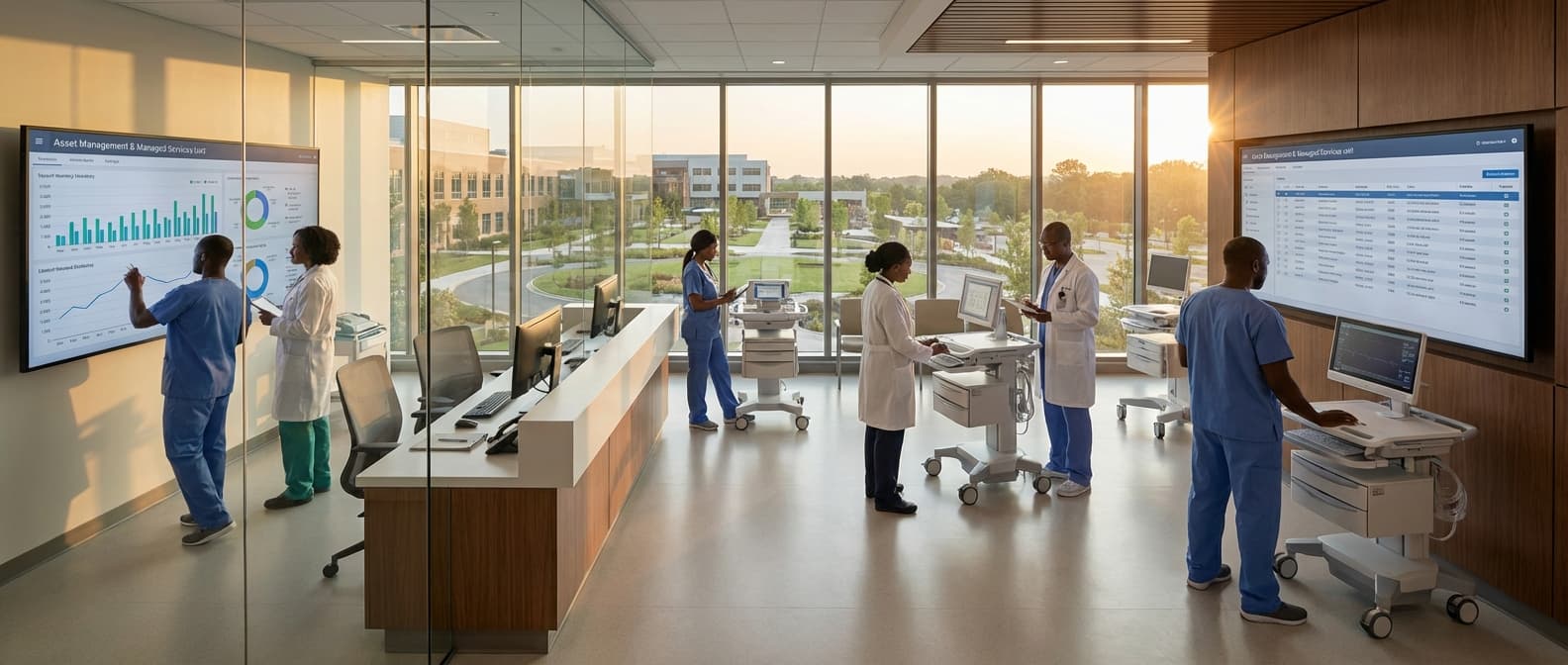
CMMS Setup & Configuration Service in Kenya
Engineering Excellence & Technical Support
CMMS Setup & Configuration Service High-standard technical execution following OEM protocols and local regulatory frameworks.
Seamless Cloud CMMS Deployment
We ensure swift and secure cloud-based CMMS setup for your Kenyan business, integrating seamlessly with your existing infrastructure and providing immediate access to powerful asset management tools.
Customized Workflows & Preventive Maintenance
Our experts configure your CMMS with industry-specific workflows and advanced preventive maintenance schedules, tailored to the unique operational demands of your Kenyan facility, maximizing uptime and minimizing costly breakdowns.
Robust Data Migration & Security Protocols
We handle the secure migration of your historical maintenance data into the new CMMS and implement stringent security measures, safeguarding your critical information and ensuring compliance with Kenyan data protection regulations.
What Is Cmms Setup & Configuration Service In Kenya?
A CMMS (Computerized Maintenance Management System) Setup & Configuration Service in Kenya refers to the specialized professional engagement aimed at deploying, customizing, and optimizing a CMMS software solution within Kenyan organizations. This service encompasses the end-to-end process of transforming a raw CMMS platform into a fully functional, tailored system that aligns with the specific operational requirements, asset inventories, maintenance workflows, and reporting needs of the client. It involves a structured approach to installation, data migration, parameterization, user training, and integration, ensuring the CMMS effectively supports proactive maintenance strategies, asset lifecycle management, and operational efficiency.
| Who Needs CMMS Setup & Configuration Service? | Typical Use Cases | |||
|---|---|---|---|---|
| Manufacturing & Industrial Plants: Facilities with extensive machinery, complex production lines, and critical uptime requirements. | Automating preventive maintenance schedules for production equipment to minimize downtime and ensure product quality. | Tracking maintenance history and costs for individual machines to identify underperforming assets and justify replacement or upgrades. | Managing spare parts inventory to prevent stockouts and reduce carrying costs. | Implementing a structured approach to reactive maintenance and breakdown response. |
| Real Estate & Facility Management Companies: Owners and operators of commercial buildings, residential complexes, and public infrastructure. | Scheduling routine maintenance for HVAC, electrical, plumbing, and fire safety systems. | Managing work orders for tenant requests and facility repairs. | Tracking maintenance costs per property or asset for budgeting and profitability analysis. | Ensuring compliance with safety regulations and building codes. |
| Transportation & Logistics Providers: Companies managing fleets of vehicles, aircraft, or marine assets. | Implementing preventive maintenance programs for vehicles to ensure roadworthiness and operational reliability. | Tracking repair history, parts usage, and labor costs for individual vehicles. | Managing inspection schedules and compliance requirements. | Optimizing fleet maintenance to reduce operational expenses and maximize asset availability. |
| Energy & Utilities Sector: Power generation plants, water treatment facilities, and distribution networks. | Managing maintenance for critical infrastructure such as turbines, pumps, pipelines, and transmission lines. | Scheduling inspections and testing of safety-critical equipment. | Tracking compliance with regulatory requirements and environmental standards. | Optimizing maintenance strategies to ensure continuous service delivery. |
| Healthcare Institutions: Hospitals and clinics with complex medical equipment and building infrastructure. | Managing the maintenance and calibration of medical devices (e.g., MRI machines, ventilators). | Ensuring the operational readiness of critical building systems (e.g., medical gas systems, backup generators). | Tracking maintenance records for regulatory compliance and patient safety. | Optimizing maintenance to minimize disruption to patient care. |
| Educational Institutions: Universities and large school districts with extensive campuses and diverse assets. | Managing maintenance for buildings, grounds, IT equipment, and specialized labs. | Scheduling routine upkeep of sports facilities and event venues. | Streamlining work order requests from students, faculty, and staff. | Optimizing resource allocation for maintenance teams across multiple locations. |
What CMMS Setup & Configuration Service Entails
- System Installation & Deployment: Installing the CMMS software on client-specified infrastructure (on-premise or cloud-based), ensuring compatibility and optimal performance.
- Asset Registry Development: Cataloging and inputting comprehensive data for all physical assets, including specifications, location, purchase details, and warranty information.
- Preventive Maintenance (PM) Program Configuration: Defining PM schedules, task lists, required parts, labor, and frequencies based on asset criticality and manufacturer recommendations.
- Work Order Management Setup: Configuring work order types, prioritization levels, approval workflows, and resource allocation mechanisms.
- Parts & Inventory Management: Establishing part numbers, descriptions, stock levels, reorder points, and vendor information within the CMMS for effective spare parts management.
- User & Role Management: Defining user roles, permissions, and access controls to ensure data security and appropriate system functionality for different personnel.
- Data Migration: Transferring existing maintenance data (e.g., asset lists, historical work orders, parts inventory) from legacy systems or spreadsheets into the new CMMS.
- Customization & Workflow Design: Tailoring CMMS modules, fields, reports, and workflows to mirror existing or desired maintenance processes and operational procedures.
- Reporting & Dashboard Configuration: Setting up pre-defined and custom reports, key performance indicators (KPIs), and dashboards for performance monitoring and decision-making.
- Integration Services: Connecting the CMMS with other enterprise systems (e.g., ERP, SCADA, IoT platforms) to enable seamless data flow and holistic operational visibility.
- User Training & Enablement: Providing comprehensive training to administrators, technicians, and managers on system usage, data entry, and best practices.
- Go-Live Support & Optimization: Offering post-implementation support, troubleshooting, and continuous refinement of the CMMS to maximize its value and adapt to evolving needs.
Who Needs Cmms Setup & Configuration Service In Kenya?
In Kenya's dynamic industrial and commercial landscape, a robust Computerized Maintenance Management System (CMMS) is no longer a luxury but a necessity for operational efficiency, cost reduction, and extended asset life. However, implementing and configuring a CMMS can be a complex undertaking. This is where specialized CMMS Setup & Configuration services become invaluable. These services cater to organizations that recognize the power of a well-tuned CMMS but lack the in-house expertise, time, or resources to achieve optimal setup and ongoing management.
| Target Customer Segment | Key Departments Benefiting from CMMS Setup & Configuration |
|---|---|
| Manufacturing & Production Plants | Production Department, Maintenance Department, Engineering Department, Quality Control, Operations Management |
| Healthcare Facilities (Hospitals, Clinics) | Facilities Management, Biomedical Engineering, Operations, IT Department |
| Hospitality (Hotels, Resorts) | Engineering & Maintenance, Operations, Housekeeping, IT Department |
| Real Estate & Property Management | Building Operations, Maintenance Teams, Property Managers, Facilities Management |
| Energy & Utilities (Power Generation, Water Treatment) | Operations & Maintenance, Engineering, Asset Management, Safety Department |
| Transportation & Logistics | Fleet Management, Maintenance Department, Operations, Warehouse Management |
| Agriculture & Agribusiness | Farm Operations, Equipment Maintenance, Processing Plant Maintenance, Logistics |
| Educational Institutions (Universities, Schools) | Facilities Management, Maintenance Department, IT Department |
| Government & Public Sector Agencies | Public Works, Facilities Management, Infrastructure Maintenance, Fleet Management |
| Mining & Construction | Equipment Maintenance, Operations, Project Management, Safety Department |
Who Needs CMMS Setup & Configuration Service in Kenya? Target Customers & Departments
- Organizations seeking to move from manual or spreadsheet-based maintenance tracking to a digital, integrated system.
- Businesses experiencing increased downtime and high maintenance costs that are impacting profitability.
- Companies with a growing asset base or complex machinery requiring systematic upkeep.
- Facilities managers and maintenance teams overwhelmed by the sheer volume of work orders and asset data.
- Companies looking to improve compliance with industry regulations and safety standards.
- Organizations aiming to optimize spare parts inventory and reduce stockouts or overstocking.
- Businesses that have recently acquired new software or are struggling with their current CMMS implementation.
- Companies undergoing digital transformation initiatives and seeking to leverage technology for maintenance operations.
- SMEs that require a professional and efficient approach to maintenance management without hiring a dedicated IT/CMMS specialist.
- Larger enterprises looking to standardize their maintenance practices across multiple sites or departments.
Cmms Setup & Configuration Service Process In Kenya
This document outlines the comprehensive workflow for our CMMS (Computerized Maintenance Management System) Setup & Configuration Service in Kenya, guiding clients from initial inquiry to successful execution and ongoing support.
| Phase | Description | Key Activities | Deliverables | Timeframe (Typical) |
|---|---|---|---|---|
| The client expresses interest in our CMMS services and receives an overview of our capabilities and offerings. | Initial contact (phone, email, website form), discussion of client's maintenance challenges and goals, explanation of CMMS benefits, Q&A. | Understanding of client's general needs, preliminary advice. | 1-3 Business Days |
| A detailed understanding of the client's specific requirements, existing processes, and desired CMMS functionalities is established. | On-site or remote meetings, interviews with key stakeholders (maintenance managers, technicians, IT), analysis of current maintenance workflows, identification of critical assets and equipment, definition of reporting needs. | Detailed needs assessment report, documented scope of work, list of modules/features to be configured. | 3-7 Business Days |
| A formal proposal is presented, outlining the project scope, deliverables, timeline, and investment. Upon acceptance, a service agreement is signed. | Development of a customized proposal, pricing breakdown, project timeline, service level agreement (SLA), contract negotiation, signing of the agreement. | Formal service proposal, signed service agreement, project kick-off meeting scheduled. | 5-10 Business Days |
| Client's existing maintenance data is collected, cleaned, and formatted to be imported into the CMMS. | Identification of data sources (spreadsheets, legacy systems), data extraction, data cleaning and standardization (asset details, work orders, spare parts inventory, vendor information), data validation. | Cleaned and formatted data files for import, data mapping document. | 1-3 Weeks (dependent on data volume and complexity) |
| The CMMS software is installed (cloud or on-premise) and tailored to the client's specific needs and workflows. | Software installation (if on-premise), user role and permission setup, asset hierarchy creation, preventive maintenance schedule configuration, work order types and workflows definition, spare parts management setup, integration with other systems (if applicable). | Configured CMMS environment, user accounts created. | 2-4 Weeks (dependent on complexity and modules) |
| Key personnel are trained on how to effectively use the CMMS for their specific roles. | Development of training materials, customized training sessions (on-site or remote), hands-on exercises, role-specific training modules. | Trained users, training manuals and resources. | 1-2 Weeks (can be staggered) |
| The configured CMMS is thoroughly tested to ensure it meets the defined requirements and functions as expected. | User acceptance testing (UAT), scenario testing, data integrity checks, performance testing, feedback collection and issue resolution. | UAT sign-off, bug fix reports, validated system functionality. | 1-2 Weeks |
| The CMMS is officially launched for use by the client's organization. | Final data migration, system switch-over, live user support during initial phase, communication to all users. | Operational CMMS, post-go-live support plan in place. | 1-3 Days |
| Ongoing support and continuous improvement of the CMMS to maximize its value and adapt to evolving needs. | Technical support, performance monitoring, system updates and upgrades, advanced training, process optimization recommendations, periodic reviews. | Improved maintenance efficiency, reduced downtime, ongoing system benefits. | Ongoing (as per SLA) |
CMMS Setup & Configuration Service Workflow in Kenya
- Inquiry & Initial Consultation
- Needs Assessment & Scope Definition
- Proposal & Agreement
- Data Gathering & Preparation
- System Installation & Configuration
- User Training
- Testing & Validation
- Go-Live & Deployment
- Post-Deployment Support & Optimization
Cmms Setup & Configuration Service Cost In Kenya
Setting up and configuring a Computerized Maintenance Management System (CMMS) is a crucial investment for Kenyan businesses looking to optimize their asset management, streamline maintenance operations, and reduce downtime. The cost of CMMS setup and configuration services in Kenya can vary significantly depending on several factors. These factors influence the complexity of the implementation, the level of customization required, and the ongoing support provided. Understanding these elements is key to budgeting effectively for your CMMS project.
| Service Component | Estimated Cost Range (KES) |
|---|---|
| Basic CMMS Setup & Configuration (Cloud-based, standard features, few users) | 150,000 - 400,000 |
| Standard CMMS Setup & Configuration (Cloud-based or On-premise, moderate customization, several users, basic data migration) | 400,000 - 1,000,000 |
| Advanced CMMS Setup & Configuration (Complex customization, multiple modules, extensive data migration, integrations, extensive training) | 1,000,000 - 5,000,000+ |
| Data Migration (per hour/project estimate) | 25,000 - 100,000+ |
| User Training (per day/session) | 30,000 - 75,000 |
| Integration Services (per integration) | 75,000 - 300,000+ |
| Ongoing Support & Maintenance (annual subscription/retainer) | Varies significantly based on software and support level |
Key Pricing Factors for CMMS Setup & Configuration in Kenya:
- CMMS Software Choice: Different CMMS software vendors offer varying pricing models. Cloud-based (SaaS) solutions often have subscription fees that can include setup, while on-premise solutions may involve higher upfront licensing costs with separate implementation fees.
- Number of Users & Modules: The more users who require access to the CMMS and the more specialized modules (e.g., inventory management, work order management, preventive maintenance scheduling, asset tracking, reporting) you need, the higher the implementation cost will be.
- Level of Customization: Basic CMMS setups typically involve configuring standard features. However, if your organization has unique workflows or requires custom fields, integrations with other systems (ERP, IoT sensors), or tailored reports, the setup and configuration will become more complex and costly.
- Data Migration: Migrating existing maintenance data (asset lists, maintenance history, spare parts inventory) from legacy systems or spreadsheets into the new CMMS is often a significant part of the setup process. The volume and complexity of the data will impact the cost.
- Training Requirements: The scope and duration of user training are critical. Comprehensive training for all user levels, from technicians to managers, will add to the overall service cost. On-site training is generally more expensive than remote training.
- Implementation Partner Expertise & Reputation: The experience, expertise, and reputation of the CMMS implementation partner in Kenya play a role. Highly experienced partners may command higher fees but can deliver more efficient and effective implementations.
- On-site vs. Remote Implementation: While remote implementations are becoming more common and can be cost-effective, some organizations may require on-site support during critical phases, which can increase travel and accommodation costs.
- Integration with Existing Systems: Integrating the CMMS with other business systems (e.g., accounting software, ERP systems, building management systems) adds complexity and thus cost to the setup process.
- Project Management: The level of project management required, especially for larger or more complex implementations, will be factored into the service cost.
Affordable Cmms Setup & Configuration Service Options
This service offers comprehensive Computerized Maintenance Management System (CMMS) setup and configuration to optimize your maintenance operations. We understand that budget is a key consideration, so we've developed flexible value bundles and cost-saving strategies to make professional CMMS implementation accessible for businesses of all sizes. Our goal is to provide a powerful and user-friendly CMMS that enhances efficiency, reduces downtime, and improves asset longevity without breaking the bank.
| Strategy | Description | Benefit | Example |
|---|---|---|---|
| Phased Implementation | Breaking down the CMMS setup into smaller, manageable phases rather than a single large project. | Reduces upfront cost, allows for quicker deployment of core features, and provides early ROI. Less disruptive to ongoing operations. | Start with work order management and asset tracking, then introduce PM scheduling and inventory in later phases. |
| Leverage Existing Data | Utilizing your current maintenance records and asset information for initial setup. | Saves significant time and cost associated with manual data entry and validation. Ensures data accuracy from the start. | Importing existing spreadsheets of asset lists and maintenance history directly into the CMMS. |
| Modular Feature Selection | Choosing only the CMMS modules and features that are essential for your immediate needs. | Avoids paying for functionality you won't use, keeping initial investment lower. Allows for future upgrades as your needs evolve. | Opting for a basic work order system and deferring advanced reporting or inventory modules if not immediately required. |
| Train-the-Trainer Approach | Empowering key internal personnel to become CMMS experts and train other users within your organization. | Reduces the need for extensive external training sessions, leading to significant cost savings and internal knowledge building. | We train your maintenance supervisor and IT lead, who then conduct ongoing training for their respective teams. |
| Template-Based Configuration | Utilizing pre-defined templates for common asset types, PM tasks, and work order workflows. | Speeds up the configuration process and ensures best practices are followed, reducing consultant hours. | Using industry-standard templates for common equipment like pumps, HVAC units, or vehicles. |
| Clear Scope Definition | Thoroughly defining project scope and requirements upfront to prevent scope creep. | Minimizes unexpected costs and delays caused by adding or changing requirements mid-project. | Agreeing on specific deliverables, timelines, and functionalities before commencing the setup. |
Our CMMS Setup & Configuration Service Options
- {"title":"Essentials Package","features":["Core CMMS installation and configuration","Asset hierarchy setup (up to 50 assets)","Basic preventive maintenance scheduling (up to 10 PM tasks)","Work order creation and management","User role and permission setup (up to 5 users)","Standard reporting dashboard","Basic user training (2 hours)"],"pricePoint":"Starting at $X,XXX","description":"Ideal for small businesses or those new to CMMS. Focuses on core functionalities to get you up and running quickly. Includes basic system setup, asset registry, work order management, and user training."}
- {"title":"Growth Package","features":["All features of the Essentials Package","Expanded asset registry (up to 250 assets)","Advanced preventive maintenance scheduling (up to 30 PM tasks)","Basic spare parts and inventory management (up to 100 items)","Customizable work order fields","Integration setup for mobile devices (basic)","Intermediate user training (4 hours)"],"pricePoint":"Starting at $X,XXX","description":"Designed for growing businesses needing more advanced features. Expands upon the Essentials package with enhanced preventive maintenance, inventory management, and reporting capabilities."}
- {"title":"Pro Package","features":["All features of the Growth Package","Unlimited asset registry","Advanced preventive maintenance scheduling (unlimited tasks)","Full spare parts and inventory management (unlimited items)","Cost tracking and analysis","Advanced reporting and analytics","Integration support for ERP/accounting software (e.g., API setup)","Dedicated project manager","Comprehensive user training (8 hours + ongoing support options)"],"pricePoint":"Starting at $X,XXX","description":"Our most comprehensive solution for larger organizations or those with complex maintenance needs. Includes advanced analytics, full inventory control, and integration options."}
- {"title":"Custom Solutions","features":["Personalized needs assessment","Bespoke feature development","Flexible integration planning","Scalable implementation strategy","Dedicated consulting throughout the project"],"pricePoint":"Custom Quote","description":"For unique requirements, we offer tailored CMMS setup and configuration. We'll work closely with you to design a solution that perfectly fits your operational demands and budget."}
Verified Providers In Kenya
In Kenya's evolving healthcare landscape, identifying truly verified and reputable healthcare providers is paramount for informed patient choices. Franance Health stands out as a beacon of trust, meticulously vetting and accrediting healthcare professionals and facilities. This rigorous credentialing process ensures that patients receive care from individuals and institutions that meet the highest standards of quality, safety, and ethical practice. Choosing a Franance Health verified provider means prioritizing your well-being with confidence, knowing you are in the hands of competent and reliable medical experts.
| Service Category | Franance Health Verification Criteria | Benefits for Patients |
|---|---|---|
| Hospitals & Clinics | Accreditation of facilities, adherence to infection control, staffing ratios, equipment standards, patient feedback mechanisms. | Access to well-equipped facilities, qualified medical staff, and a safe patient experience. |
| Specialist Doctors | Verification of medical licenses, board certifications, postgraduate qualifications, peer reviews, continuing medical education. | Consultation with highly skilled and experienced specialists in their respective fields. |
| Laboratories & Diagnostics | Accreditation of testing facilities, quality control measures, proficiency testing, use of calibrated equipment. | Reliable and accurate diagnostic results for informed medical decisions. |
| Pharmacies | Verification of dispensing licenses, drug sourcing protocols, pharmacist qualifications, secure storage of medications. | Access to legitimate and safely dispensed medications from qualified professionals. |
Why Franance Health Verified Providers are the Best Choice:
- Uncompromising Quality Standards: Franance Health ensures providers adhere to stringent medical protocols and best practices.
- Patient Safety First: All verified providers undergo thorough background checks and facility inspections to guarantee a safe healthcare environment.
- Ethical Practice Assurance: Franance Health promotes transparency and ethical conduct, safeguarding patient rights and trust.
- Access to Expertise: A verified network provides access to a wide range of specialists and advanced medical services.
- Peace of Mind: Knowing your healthcare provider is credentialed by a trusted authority offers invaluable peace of mind.
Scope Of Work For Cmms Setup & Configuration Service
This Scope of Work (SOW) outlines the services to be provided for the setup and configuration of a Computerized Maintenance Management System (CMMS). The objective is to implement a functional and optimized CMMS solution tailored to the client's specific maintenance operations, ensuring efficient asset management, work order processing, inventory control, and reporting capabilities. This document details the technical deliverables, standard specifications, and key activities involved in the project.
| Technical Deliverable | Description | Standard Specifications / Acceptance Criteria |
|---|---|---|
| Requirements Specification Document | A comprehensive document detailing the client's current maintenance processes, future state requirements, functional needs, and technical constraints. This includes defining user roles, workflows, asset hierarchy, preventive maintenance schedules, and reporting needs. | Document approved by client stakeholders. Clearly outlines all functional and non-functional requirements. Defines integration points with other systems (if applicable). |
| Configured CMMS Environment | The CMMS software installed and configured according to the approved Requirements Specification Document. This includes setting up asset hierarchies, defining equipment types, establishing labor resources, configuring work order types, and creating custom fields as needed. | CMMS accessible to authorized users. All configured modules (Asset Management, Work Orders, PMs, Inventory, etc.) are functional as per requirements. Standard workflows are operational. |
| Asset Register & Hierarchy Setup | All critical assets are entered into the CMMS with their relevant details, including asset ID, location, manufacturer, model, serial number, purchase date, warranty information, and associated documentation (manuals, diagrams). The asset hierarchy is established to reflect the physical layout and logical relationships between assets. | Asset data accuracy is verified to be 98% or higher. Asset hierarchy accurately reflects the client's organizational structure. All critical assets are documented. |
| Preventive Maintenance (PM) Programs | Development and configuration of recurring PM schedules for critical assets. This includes defining task lists, frequencies, required parts, estimated labor, and associated safety procedures. | All critical assets have at least one defined PM schedule. PM task lists are detailed and actionable. PM frequencies align with manufacturer recommendations and operational needs. |
| User Roles & Permissions Matrix | Definition and implementation of user roles with appropriate access levels and permissions within the CMMS. This ensures data security and that users only have access to the information and functionalities relevant to their roles. | User roles are clearly defined. Permissions are configured correctly for each role. Access controls are implemented as per security policies. |
| Data Migration Plan & Execution Report | A detailed plan for migrating existing maintenance data (assets, work orders, inventory, etc.) into the new CMMS. This includes data cleansing, mapping, and validation procedures. An execution report summarizes the migration process, including any encountered issues and resolutions. | Data migration plan approved by client. Data imported successfully with minimal errors (acceptance criteria for data accuracy to be defined in plan). Validation checks performed and documented. |
| Standard Operating Procedures (SOPs) for CMMS Usage | Development of clear and concise SOPs for key CMMS functionalities, covering areas like creating work orders, closing work orders, requesting parts, and generating reports. These SOPs serve as a user guides. | SOPs are comprehensive and easy to understand. They cover all critical CMMS workflows. SOPs are reviewed and approved by the client. |
| Training Materials & Session Records | Development of training materials (presentations, handouts, exercises) tailored to different user groups. Records of training sessions conducted, including attendance and feedback, will be maintained. | Training materials are relevant to user roles. Training sessions are conducted effectively. Feedback is collected and addressed. |
| System Administration Guide | A guide for system administrators on managing the CMMS, including user management, system configuration, backup procedures, and troubleshooting common issues. | Guide is comprehensive and provides clear instructions for system administration tasks. It is reviewed and approved by the client. |
| Post-Implementation Review Report | A report summarizing the outcome of the CMMS implementation, including a review of project objectives, lessons learned, and recommendations for future optimization. | Report is delivered within a specified timeframe post-go-live. It provides an objective assessment of the implementation and actionable recommendations. |
Project Phases and Activities
- Phase 1: Discovery & Requirements Gathering
- Phase 2: CMMS Software Setup & Configuration
- Phase 3: Data Migration & Validation
- Phase 4: User Training & Knowledge Transfer
- Phase 5: Go-Live & Post-Implementation Support
Service Level Agreement For Cmms Setup & Configuration Service
This Service Level Agreement (SLA) outlines the response times and uptime guarantees for the CMMS Setup & Configuration Service provided by [Your Company Name] to [Client Name].
| Service Metric | Target | Description | Measurement Method |
|---|---|---|---|
| Initial Response Time for Critical Issues | 2 Business Hours | Time from initial notification of a critical issue (e.g., system inaccessible, core functionality unavailable) to the first acknowledgement and assessment by [Your Company Name]'s support team. | Ticketing system timestamp |
| Initial Response Time for High Priority Issues | 4 Business Hours | Time from initial notification of a high priority issue (e.g., significant feature malfunction, impact on multiple users) to the first acknowledgement and assessment by [Your Company Name]'s support team. | Ticketing system timestamp |
| Initial Response Time for Medium Priority Issues | 8 Business Hours | Time from initial notification of a medium priority issue (e.g., minor feature malfunction, impact on a single user) to the first acknowledgement and assessment by [Your Company Name]'s support team. | Ticketing system timestamp |
| Resolution Target for Critical Issues | 8 Business Hours | Target time to provide a workaround or resolution for critical issues. Full resolution may depend on root cause analysis and software updates. | Ticketing system timestamps (Issue Open to Resolution) |
| Uptime Guarantee (during Setup & Configuration Phase) | 99.5% | The CMMS system, during the active setup and configuration phase, will be available for use for at least 99.5% of the scheduled business hours. This excludes scheduled maintenance windows. | System monitoring tools |
| Scheduled Maintenance Window Notification | 48 Hours Advance Notice | [Your Company Name] will provide at least 48 hours advance notice for any scheduled maintenance that may affect system availability. | Email notification |
Key Service Components
- CMMS Software Installation and Deployment
- Core CMMS Module Configuration (e.g., Assets, Work Orders, Preventive Maintenance)
- User Role and Permissions Setup
- Data Migration (initial load)
- Initial System Testing and Validation
- Basic User Training (as defined in the Statement of Work)
Frequently Asked Questions

Ready when you are
Let's scope your CMMS Setup & Configuration Service in Kenya project in Kenya.

Scaling healthcare logistics and technical systems across the entire continent.